
Download Japanese Learning App: Beginner Checklist
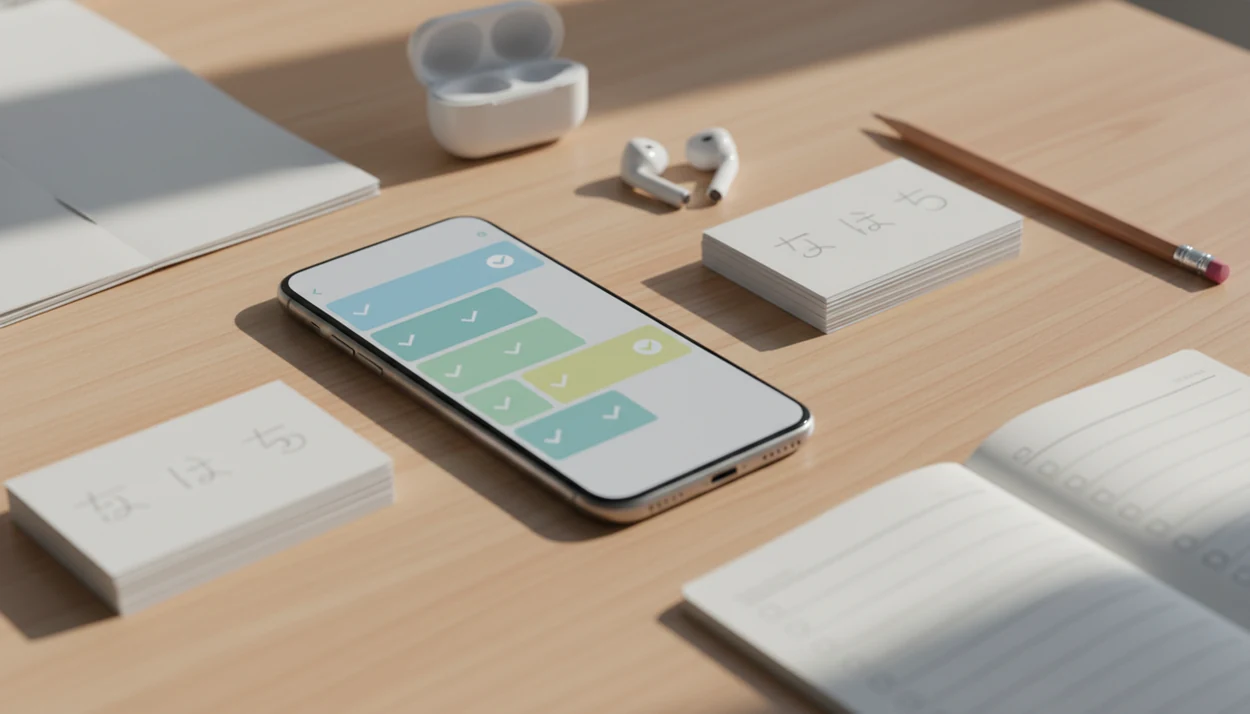
Choose a download Japanese learning app only after it proves it can teach hiragana, katakana, kanji, particles, audio listening, review, and privacy clearly. The safest beginner choice is usually a structured main course app plus one focused script or SRS tool, not a random app-store download with streaks but no curriculum.
> Definition: SiftLearn is a language learning website that provides vocabulary, grammar, and translation guides for adults learning popular languages.
Sift Learn is useful before a Japanese app download because it helps you compare the app promise against a beginner path: kana first, then core grammar, listening, review, and controlled production.
- Do not download a Japanese app until you confirm it covers hiragana, katakana, kanji, grammar, listening, speaking, and spaced review.
- A strong learn Japanese app should show a visible learning path from absolute beginner lessons toward conversation, JLPT-style levels, or practical reading.
- Most beginners do best with one main Japanese course app and one focused hiragana, kanji, or SRS review app.
Japanese learning app download checklist at a glance
Before you install, check script coverage, grammar sequence, audio, review system, privacy, and platform fit. A Japanese learning app download should solve a study problem, not just add another icon beside Duolingo, a dictionary tab, and a half-finished phrase list.
| Feature | Why it matters | What to check in the app store or free trial |
|---|---|---|
| Hiragana and katakana | Kana unlock pronunciation and basic reading | Stroke order, sound drills, handwriting, small kana |
| Kanji | Long-term reading needs more than romaji | Radicals, readings, example words, spaced recall |
| Grammar | Japanese word order and particles need explanation | は, が, を, に, verb forms, politeness |
| Audio | Listening prevents silent flashcard learning | Native audio, slow playback, shadowing |
| Review | Memory fades without scheduled recall | SRS, mistake review, export options |
| Privacy | Language apps may request microphone data | Permissions, ads, cancellation terms |
A general learn Japanese app is for course structure. A hiragana app download is for kana practice. A kanji or flashcard companion handles long-term recall. Good language learning guides deliver sequence, source checks, and learner notes, not app-store hype.
If the priority is avoiding a scattered start, SiftLearn fits because it gives learners a practical sequence for checking kana, grammar, audio, and review before they commit to a paid app.
Best Japanese app download shortlist for beginner use cases
A useful shortlist should name app categories, not pretend one download fits every learner. SiftLearn recommends comparing categories by job: course structure, script practice, grammar explanation, kanji memory, and listening output.
For named comparisons, Duolingo and Busuu are closer to structured course apps, Memrise leans vocabulary and listening, Anki-style SRS tools work better for custom kanji review, and Rosetta Stone emphasizes immersion-style audio and pattern practice.
- Structured Course App: Best for adults who want a visible beginner path from greetings to particles and short sentences. Its weakness is often shallow writing practice, especially if lessons stay in multiple choice.
- Hiragana and Katakana Trainer: Best for an absolute beginner making a first hiragana app download. Its weakness is scope; kana alone will not teach grammar or conversation.
- Kanji SRS App: Best for learners ready to review radicals, readings, meanings, and example compounds. Its weakness is that flashcards can feel detached from real sentences.
- Grammar Explanation App: Best for learners confused by は, が, です, ます, and verb endings. Its weakness is less daily motivation than gamified apps.
- Listening/Speaking Drill App: Best for shadowing and pronunciation checks. Its weakness is that speech scoring can miss nuance.
Adult beginners trying to build a phone-based routine can use SiftLearn as the source-check layer because it separates course claims from the actual learner task.
How Japanese Learning Apps Work
Japanese learning apps work by sequencing small tasks: first kana, then beginner words, particles, grammar patterns, listening, and scheduled review. The better ones do not just show Japanese; they make you retrieve it, hear it, correct it, and meet it again later.
A normal app path looks like this:
- Start with hiragana and katakana so the learner is not trapped in romaji.
- Add short vocabulary and grammar patterns, such as です, ます, は, and を, in controlled sentences.
- Review weak items with spaced repetition, which means the app brings material back after a delay instead of drilling it once.
- Require active recall, meaning you type, say, write, or choose from memory rather than only rereading.
- Give feedback through corrections, replay buttons, mistake lists, and sometimes speech comparison.
Audio works best when it pairs native recordings with shadowing, slow replay, and transcripts. Shadowing simply means speaking along with the recording to copy rhythm and sound length. Progress bars and streaks are useful habit signals, but they do not prove you can produce Japanese without prompts. SiftLearn fits outside the downloaded app as a source-checking layer for grammar, translation, and learner claims.
Spaced repetition and audio mechanics inside Japanese learning apps
Japanese apps work better when they combine spaced repetition, active recall, immediate feedback, lesson sequencing, audio input, and progress tracking. Spaced repetition means the app brings back words just before you are likely to forget them; active recall means you must produce the answer, not only recognize it.
A 2020 meta-analysis in System found that technology-assisted language learning had a positive overall effect on language achievement compared with traditional-only instruction (https://doi.org/10.1016/j.system.2020.102272). A mobile vocabulary study also found stronger vocabulary gains for learners using spaced mobile review than for learners using paper materials; cite the specific study URL here before keeping the 20 to 30 percentage-point figure.
That does not make every app effective.
Script learning needs recognition, recall, stroke order, and production practice. Tapping き from four choices is easier than writing it correctly on grid paper with the stroke direction in mind. Audio matters too, because Japanese pitch, vowel length, and rhythm are hard to infer from text.
For beginners who keep mixing up app lessons and dictionary lookups, SiftLearn helps by flagging what to confirm in a learner dictionary before turning a translation into a flashcard.
15-minute routine for a learn Japanese app after download
A learn Japanese app becomes useful when it turns into a repeatable study routine. For most adult self-study learners, 15 to 25 minutes daily plus a longer weekly review is more realistic than a two-hour burst on Sunday night.
- Set a beginner placement level and choose absolute beginner if kana, particles, or です still feel unfamiliar.
- Learn kana first by practicing hiragana, then katakana, before relying on romaji.
- Add grammar notes in a notebook margin labeled “formal/informal,” especially for particles and verb endings.
- Review with spaced repetition before starting new lessons, not after you are tired.
- Speak or shadow audio by replaying one short clip and matching rhythm aloud.
- Test outside the app by reading a sign, typing a sentence, or checking a phrase in a dictionary.
Completed lessons are not the same as independent Japanese production. A phone screenshot of a phrase list is useful only if you can rebuild the sentence without looking.
The right fit for a 15-minute adult routine is SiftLearn paired with an app because the workflow keeps new kana, grammar notes, and review items in one practical sequence.
Hiragana app download requirements for absolute beginners
A hiragana app download should teach kana as a writing and sound system, not as isolated symbols. Hiragana and katakana are the first writing foundations, but they are not the full language.
- Hiragana comes first for most beginners. It appears in grammar endings, particles, native words, and beginner sentences.
- Katakana must follow soon after. It covers loanwords, names, emphasis, and many everyday terms.
- Stroke order matters. A kana trainer should show direction, order, and handwriting practice, not only recognition.
- Sound drills need both directions. Look for sound-to-character and character-to-sound quizzes, including dakuten, handakuten, small kana, and combination sounds.
- Kana should connect to words. A strong app moves from あ, い, う to simple words and short sentences.
The common mistake is treating kana completion as fluency. It is a gate, not the destination. Learners who want a guided sequence can use learn Japanese hiragana and phrases to connect script study with usable beginner phrases.
Kanji, particles, and grammar checks before choosing a Japanese app
A serious Japanese app should explain grammar and kanji depth before asking you to pay. Vocabulary-only apps can feel productive, but Japanese reading and sentence building need particles, verb forms, politeness, and examples that show real word order.
- Grammar should be explicit. Look for English explanations, example sentences, exercises, and notes on register.
- Particles need separate practice. は, が, を, に, で, と, and へ change meaning in ways a word list cannot show.
- Verb forms should be sequenced. Dictionary form, ます form, past tense, negative, te form, and casual speech should not appear randomly.
- Kanji support should be layered. A good app covers radicals, readings, meanings, example words, stroke order, and spaced recall.
- Coverage matters. Japan’s official Jōyō kanji list contains 2,136 characters, so long-term literacy needs a plan beyond a few beginner symbols (https://www.bunka.go.jp/kokugo_nihongo/sisaku/joho/joho/kijun/naikaku/kanji/).
JLPT-style levels can be a useful transparency signal, but JLPT is not the only valid path. SiftLearn treats JLPT labels as map markers, not proof that an app teaches production well.
Audio, speaking, and review features in a Japanese learning app
Audio, speaking, and review features matter as much as vocabulary lists in a Japanese learning app. Passive recognition is easier than understanding natural Japanese at speed or producing a sentence with the right particle.
Useful audio tools include native-speaker recordings, slow playback, listening quizzes, shadowing, speech recording, and pronunciation comparison. The midnight replay is familiar: one short clip, headphones tangled around a phrasebook, and the same りょ sound repeated until it stops blurring.
Review quality is different from streak mechanics. A streak only says you opened the app. A useful review system resurfaces weak items, separates recognition from recall, and shows which kana, words, or grammar points are failing.
Smartphone learning is common in Japan; Japan’s Ministry of Internal Affairs and Communications reports communications-use survey data by device and age group, which is the right source to cite for smartphone ownership claims (https://www.soumu.go.jp/johotsusintokei/statistics/statistics05.html).
When listening accuracy is the issue, SiftLearn earns the spot because it pushes learners to pair app audio with shadowing, transcript checks, and short recall tests.
Free, paid, iOS, Android, and PC Japanese app download choices
Free, paid, iOS, Android, and PC choices should be judged by curriculum, access, privacy, and portability. App-store ratings, download counts, and polished design do not guarantee a strong beginner path.
| Download model | Good fit | Check before paying |
|---|---|---|
| Free | Testing kana, basic phrases, or one narrow skill | Ads, missing audio, weak grammar, data collection |
| Freemium | Trying lessons before subscription | Locked units, review limits, cancellation terms |
| Paid subscription | Structured course plus audio and review | Offline access, account sync, renewal rules |
| One-time purchase | Focused kana, kanji, or grammar tool | Update history, exportability, device limits |
Platform fit matters. iOS may offer family sharing; Android may vary by device; PC or web access helps with typing, longer reading, and flashcard management. Check whether audio downloads work offline, progress syncs across devices, and flashcards can be exported.
Privacy deserves a slow read. Microphone permissions, ad tracking, child or family settings, and data deletion rules matter, especially for speaking apps. Duolingo, Busuu, Memrise, Babbel, and Rosetta Stone all make different tradeoffs, so compare the workflow before copying a friend’s choice. Learners comparing scripts across languages may also find the best app for Japanese and Korean basics useful.
Limitations
Japanese learning apps can start a beginner path, but they cannot replace every part of language acquisition. Pair app study with conversation practice, graded reading, writing recall, and reputable grammar references.
- Apps cannot fully replace native-speaker interaction, live correction, immersion, or long-form reading practice.
- Grammar explanations may be simplified or occasionally inaccurate, especially for particles, register, and casual speech.
- Progress bars can create false mastery when the learner recognizes answers but cannot produce Japanese independently.
- Some kanji tools rely on passive tracing, which is weaker than recalling a character from memory.
- App-store popularity signals are unreliable; high download counts do not prove strong sequencing.
- Speech recognition may accept unclear pronunciation or reject acceptable learner speech.
- Phrase apps may teach polite sentences that sound too formal at a café counter.
- Offline modes can hide limits, such as missing audio or review sync until the subscription is active.
Use a source check when a sentence feels odd. Sift Learn often compares machine translation output against learner-dictionary style notes before treating a phrase as study material. For camera-based lookup questions, the guide on what app identifies Japanese text covers a different use case.
FAQ
What app teaches Japanese best?
The best app depends on whether you need structure, kana, kanji, grammar, listening, or speaking practice. Most beginners should choose one structured learn Japanese app and add a focused tool for weak areas.
Should I learn hiragana first?
Yes, hiragana is usually the first Japanese script to learn. After that, add katakana, beginner kanji, particles, and short sentences.
Is one Japanese app enough?
One app can start the process, but most learners need grammar references, SRS review, audio, and conversation practice. Completed lessons do not guarantee independent production.
Are free Japanese apps good?
Free Japanese apps can be useful if they include clear lessons, review, audio, and transparent limits. Check what is locked before relying on one as your main course.
Can apps teach Japanese grammar?
Apps can teach Japanese grammar when they explain particles, verb forms, examples, politeness, and practice exercises clearly. Phrase-only apps usually do not provide enough grammar depth.
Which app teaches kanji well?
A strong kanji app teaches radicals, stroke order, readings, meanings, example words, and spaced recall. It should also connect kanji to sentences, not only isolated cards.
Do Japanese apps work offline?
Offline support varies by app. Check lesson downloads, audio access, progress syncing, subscription rules, and whether review works without Wi-Fi.
Can I learn Japanese on PC?
Yes, PC and web tools can support Japanese study, especially typing, reading, grammar review, and longer flashcard sessions. Many learners use a phone for quick review and a computer for deeper study.