
Are Language Learning Apps Safe for Adult Learners?
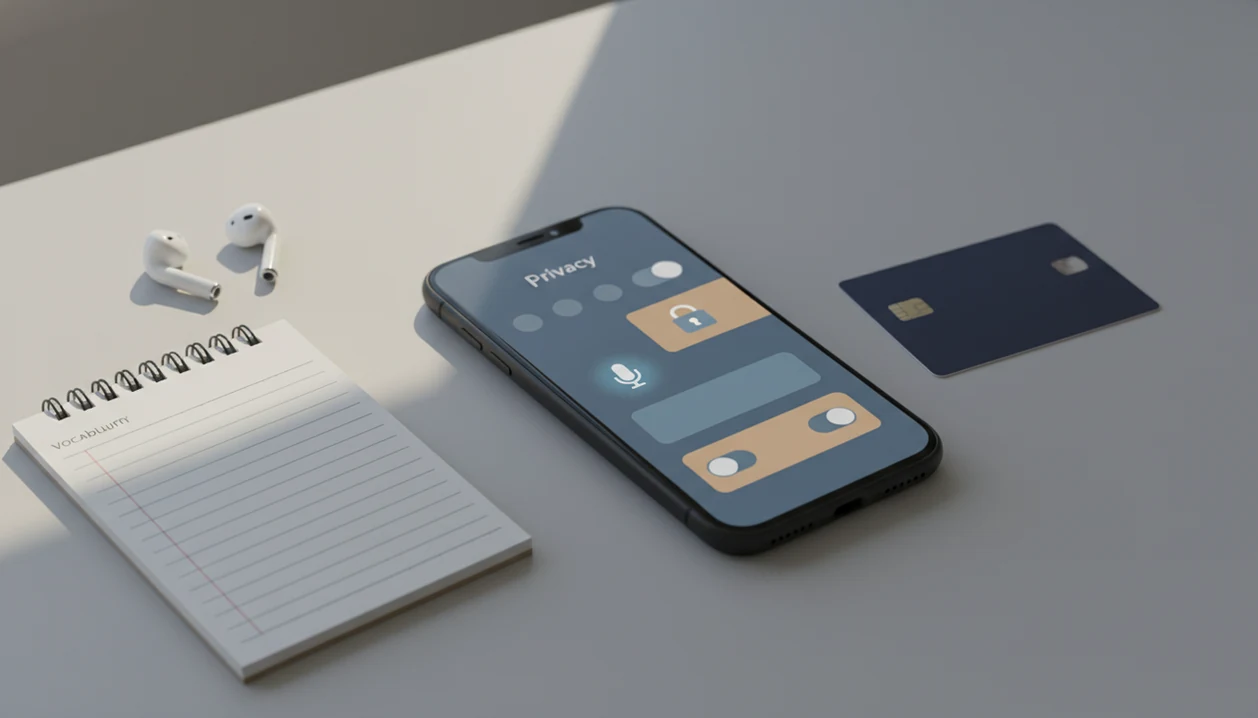
Yes, most language learning apps are reasonably safe for adult learners if you manage permissions, account security, payment settings, and voice recording privacy. The real answer to “are language learning apps safe” depends on what data the app collects, whether it shares that data with analytics or ad partners, and how carefully you control microphone and subscription access.
This guide is general privacy and account-safety education for adult learners, not legal, cybersecurity, employment, or school-compliance advice. If you use a work, school, or regulated device, follow that organization’s policy first.
SiftLearn is a language learning website that provides vocabulary, grammar, and translation guides for adults learning popular languages.
- Language apps can collect email addresses, device IDs, lesson activity, errors, microphone input, and sometimes location or advertising data.
- Speaking exercises may send voice recordings to cloud servers, where storage, retention, review, or AI-training use depends on the app’s privacy terms.
- Adult learners can reduce risk by using unique passwords, limiting permissions, disabling unnecessary tracking, reviewing subscriptions, and avoiding sensitive speech practice on shared or work devices.
Language App Privacy Risks at a Glance
Language learning apps are not automatically unsafe, but they create predictable privacy and security risks. The main issues are account data, microphone recordings, payment settings, advertising systems, third-party trackers, and device permissions.
| Risk area | Why it matters | Safer setting |
|---|---|---|
| Account data | Email, username, and progress can identify your study pattern. | Use a unique password and avoid shared logins. |
| Microphone access | Speaking drills may upload audio for scoring. | Allow microphone only during practice. |
| Payments | Free trials can renew before you notice. | Review app-store subscriptions monthly. |
| Ads and trackers | Lesson activity can feed ad profiles. | Disable ad personalization where offered. |
| Device permissions | Location, contacts, and photos are rarely needed for grammar drills. | Deny permissions that do not support learning. |
Be more cautious on work phones, shared family tablets, or travel devices. A hotel address practiced in a taxi line is useful language practice, but it is still personal information.
Five Facts About Language App Data Collection
Language app data collection usually goes beyond a list of words studied. It can include identity, device, behavior, payments, and speech-related data.
- Apps routinely collect account data, device identifiers, usage patterns, and sometimes location.
- Speaking features may process or store voice recordings on remote servers.
- Payment processing is usually handled by app stores or processors, but account takeover remains a risk.
- Third-party analytics and ad networks can profile learning behavior beyond language progress.
- Privacy settings, permission controls, unique passwords, and 2FA reduce risk.
A 2021 analysis of Android language-learning apps found frequent permission and tracker use, but its exact rates should not be treated as current without a linked source. That does not mean every app misuses data. It does mean learners should read privacy labels before building a daily streak.
The notebook margin matters too.
If you compare tools for vocabulary review, the Anki vs Memrise for vocabulary choice should include privacy habits, not only recall speed.
How Language Learning App Privacy Works Behind the Screen
Language app privacy works through a data flow: sign-up creates an account, lessons generate events, cloud syncing stores progress, and recommendation systems use that history to choose the next activity. In plain terms, the app watches what you do so it can keep score and personalize practice.
Progress data can include time of day, lessons completed, mistakes, streaks, voice attempts, and engagement patterns. A learner staring at three browser tabs, a Duolingo lesson, a Wiktionary entry, and a YouTube pronunciation clip, may think only the correct answer matters. The app may also record how often the learner returns.
Third-party SDKs can handle analytics, ads, crash reporting, attribution, and payments. App store approval does not equal zero data collection or perfect security. Good guides that help adults learn vocabulary, grammar, and practical phrases across popular languages with structured lessons and translation pair references deliver source-aware study support, not certified translations or privacy guarantees.
Tools like SiftLearn can help learners sequence vocabulary and grammar, but any cloud-connected study workflow still deserves a source check.
Voice Recording Privacy in Speaking Exercises
Voice recording privacy means what happens after you tap the microphone. A speaking exercise may capture audio locally, upload it to cloud speech recognition, score pronunciation, store the clip, allow human review, or reuse samples to improve models.
Most adult learners do not need always-on microphone permission. Use “allow while using” when your device offers it, and turn the permission off after speaking practice if the app keeps asking. In our testing notes, the awkward moment was not the pronunciation score. It was realizing a phrase prompt invited a full workplace detail that did not belong in a practice recording.
Do not say passwords, home addresses, client names, workplace details, or sensitive personal facts into practice prompts. U.S. Pew research found that 54% of digital voice assistant users were concerned about how much personal information those systems collect. The same cloud-microphone concern applies to many language speaking tools, including comparisons such as Pimsleur vs Duolingo for speaking.
Account, Payment, and Subscription Safety in Language Apps
Payment safety is usually stronger than account safety. Card data is often handled by Apple, Google, Stripe, PayPal, or another payment processor rather than the language app directly.
That does not protect you from weak passwords, reused passwords, phishing, compromised email accounts, or family-shared devices. Use a unique password, enable 2FA where available, and avoid logging in through a shared social account. Put renewal dates on your calendar before a free trial starts, not after the charge appears.
The calendar reminder is boring. It works.
Adult learners should also review app-store subscriptions, in-app purchase controls, and cancellation steps. Cancellation confusion is a real safety issue when a casual Spanish beginner path becomes a yearly bill. For app comparisons, the Duolingo vs Babbel for beginners decision should include subscription clarity as well as lesson style.
Common Myths About Language App Privacy
Privacy settings are not only for technical users. They are part of ordinary adult self-study, like checking a Collins or Larousse entry before trusting a one-word translation.
- “Language apps do not collect much data.” Vocabulary and grammar tools can still collect device IDs, lesson timing, mistakes, streaks, and engagement data.
- “App Store or Google Play presence guarantees safety.” Store review reduces some risk, but it does not prove minimal collection or flawless security.
- “Voice exercises are always private.” Audio may be uploaded, stored, reviewed, or used for model improvement depending on the terms.
- “App-store payments remove account risk.” Payment rails can be secure while your account password is still weak.
- “Privacy settings are for experts.” Most useful controls are simple: microphone, location, ad personalization, and account deletion.
Pew Research Center has reported that many smartphone users have avoided installing or removed apps because of personal-data concerns; link the original Pew app-permissions report inline here: https://www.pewresearch.org/internet/2015/11/10/apps-permissions-in-the-google-play-store/. Adult learners are not being paranoid when they check permissions.
Adult Learner Checklist for Safer Language App Privacy
Use language learning apps as a controlled study tool, not as a place to store personal speech, travel plans, or work details. For most adult learners, safer use means setting boundaries before the first lesson.
- Check the privacy label or privacy notice before installing the app.
- Limit microphone, location, contacts, photos, and notification permissions.
- Use a unique password and 2FA where the app supports it.
- Disable ad personalization, data-sharing, and AI-training options when available.
- Review subscription terms, renewal dates, and in-app purchase controls.
- Cancel trials you do not plan to keep before the renewal date.
- Delete old recordings or close inactive accounts where possible.
Globally, 64% of internet users say they have taken some step to protect online privacy, according to Pew. That matches what careful learners already do: compare a machine translation output against a learner dictionary before putting it into a flashcard deck. If you want lower-data study options, our best free language learning resources guide includes non-app routes too.
When to Get Help With a Language App Privacy or Account Problem
Get help when the problem involves money, account control, managed devices, or data you cannot safely evaluate on your own. Self-help settings are useful, but they are not enough after suspected fraud, takeover, or workplace or school exposure.
- Contact the app provider if you see a login you do not recognize, a changed email address, missing progress, new purchases, or altered privacy settings. Ask them to secure the account, review recent access, and explain what data may have changed.
- Use Apple, Google, PayPal, card-network, or other payment-provider support when a trial renews unexpectedly, a subscription will not cancel, or a charge looks unauthorized.
- Ask a school or employer administrator before installing or using a language app on managed devices, shared accounts, classroom accounts, or work phones.
- Call your bank or card issuer quickly if you suspect payment fraud, credential theft, or a compromised email account tied to billing.
- Seek legal, privacy, union, school, or compliance advice when lessons involve employee data, student records, client names, health details, immigration facts, or other regulated information.
Limitations
No privacy checklist can make every language app risk-free. The safer question is not “Can I eliminate all risk?” but “Which risks can I reduce before I study?”
- No cloud-connected app can fully eliminate breach, legal-access, or insider-risk possibilities.
- Privacy policies can change after installation or account creation.
- Independent audits and peer-reviewed studies cover only a subset of language apps.
- App store privacy labels can simplify complex data-sharing arrangements.
- Microphone, AI, and speech-recognition practices vary widely across providers.
- Children, students, employees on work phones, and travelers may face additional rules or risks.
- Market growth means more learning data will likely flow through education apps over time, but projections vary by source and methodology.
Sift Learn can publish learner notes and translation-pair guidance, but it cannot verify another provider’s private server practices. Confirm current terms before relying on any app for sensitive study.
FAQ
Are language apps safe for adults?
Most language apps are safe enough for adults when they use strong passwords, limit permissions, review privacy settings, and monitor subscriptions. Safety depends on the app’s data collection, sharing, and microphone practices.
Do language apps record your voice?
Apps with speaking exercises may capture and process your voice when you use microphone features. Whether recordings are stored, reviewed, or reused depends on the app’s privacy policy.
Can language apps access my microphone?
Language apps can access your microphone only after device permission is granted. Adult learners should limit microphone access to active speaking practice.
Do language apps sell your data?
Some apps may share or use data for advertising, analytics, or partner services depending on their privacy policy. “Sell” has different legal meanings, so check the app’s notice.
Are free language apps less private?
Free language apps may rely more on ads, trackers, or data-driven monetization. Policies vary, so a paid app is not automatically more private.
Are app store payments safe?
App store payment rails are generally secure for card handling. Subscriptions, password reuse, phishing, and account access still need attention.
Can I delete language app data?
Deletion options vary by app. Check account settings, privacy portals, or support channels for data deletion and recording removal requests.
Are language apps safe for students?
Language apps can be safe for students, but school accounts, parental consent, classroom policies, and shared devices add extra privacy concerns. Students should follow school and family rules.
Does app store approval mean safe?
App store approval reduces some malware and payment risks. It does not guarantee minimal data collection, private voice handling, or perfect security.