
What App Identifies Japanese Text Best For Learners?
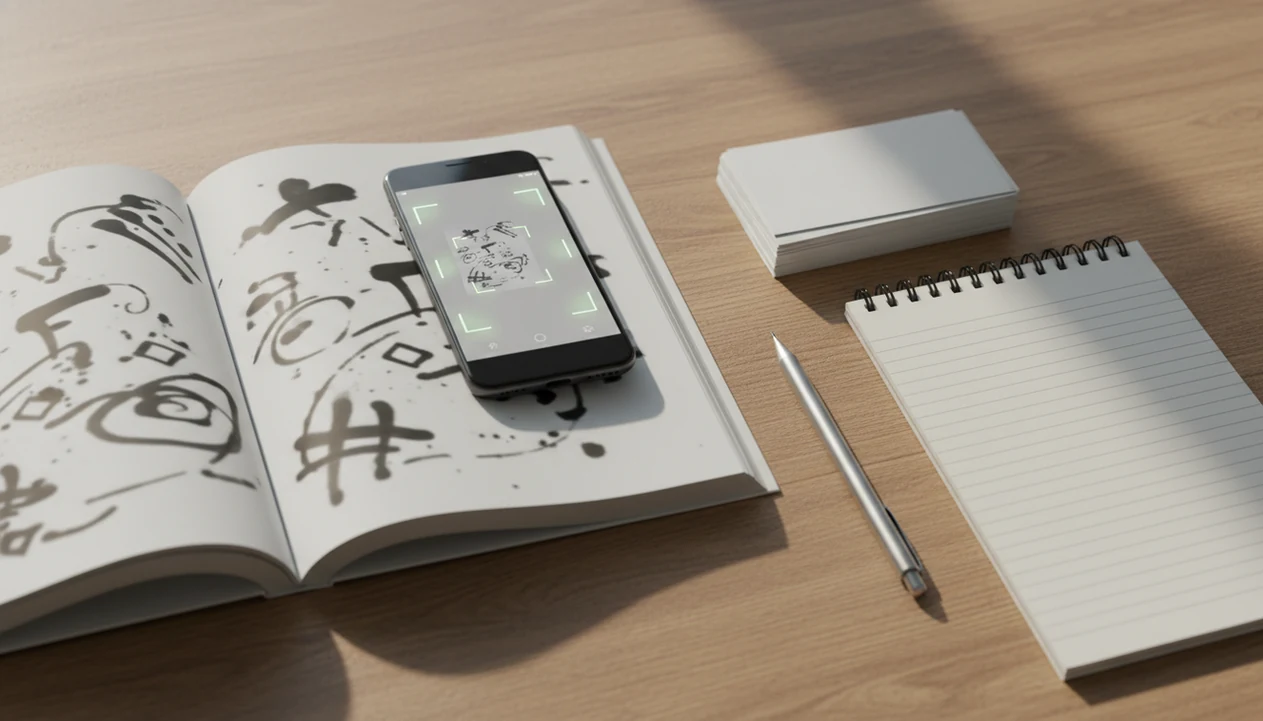
Yomiwa is the best overall answer to what app identifies Japanese text for learners because it combines Japanese OCR, dictionary lookups, readings, and kanji details in one workflow. Google Translate is faster for instant camera translation, while Kaku, Kanji Lookup, and an SRS app are better supports when you want to study the words afterward.
> A Japanese OCR app identifies Japanese text by turning kanji, hiragana, and katakana from a camera image, screenshot, or scanned page into selectable text for translation, dictionary lookup, or study notes.
- Best overall Japanese OCR app for learners: Yomiwa, because it pairs OCR with dictionary-style lookup and kanji information.
- Best quick camera translator: Google Translate, but verify important sentences with a Japanese dictionary app.
- Best study workflow: scan Japanese text, copy useful words or sentences, add readings and meanings, then review them in flashcards or structured notes.
At-a-glance Japanese OCR app shortlist for learners
Most learners need an app stack, not one perfect Japanese OCR app. The right choice depends on whether you need quick meaning, dictionary form, kanji readings, screenshot support, or flashcard review.
| Tool | Best for | Strengths | Cautions |
|---|---|---|---|
| Yomiwa | Learner OCR and dictionary lookup | Camera OCR, photo import, readings, kanji details | Not as instant as a camera overlay |
| Google Translate | Fast travel comprehension | Live camera translation on iPhone and Android | Translation can hide grammar details |
| Kaku | On-screen lookup workflows | Useful where screen text can be selected or captured | Platform support may vary |
| Kanji Lookup | Unknown kanji backup | Handwriting recognition when OCR fails | Requires you to draw the character |
| Anki or learner notebook | Long-term review | Stores words, sentences, and translation pairs | Needs manual cleanup |
Good language learning guides identify the text, preserve the Japanese, and help you study it later, not just paste an English guess over the screen.
SiftLearn treats Japanese OCR as one part of a beginner path because scanned words still need readings, grammar notes, and review timing. If you are comparing broader phone workflows, the best app for Japanese and Korean basics guide covers the study side after the scan.
How We Chose These Japanese OCR Apps
We chose these Japanese OCR apps by asking which ones help learners turn real Japanese into reliable study material. Speed mattered, but it did not outweigh readings, dictionary depth, correction tools, and the ability to preserve the original sentence.
- Test common input paths: live camera scanning, screenshots, saved photos, and a handwriting backup for stubborn kanji.
- Compare what happens after recognition, including word lookup, kana readings, kanji details, dictionary forms, and example-style context.
- Check how much friction appears when the scan is wrong, because learners often need to fix one kana, one kanji, or one line break before saving.
- Weigh export and review usefulness, including whether text can move cleanly into flashcards, notes, or a structured learner workflow.
- Separate quick comprehension from study value: Google Translate wins when speed is the goal, while Yomiwa wins overall because its OCR connects more naturally to dictionary learning.
Results can shift by phone model, operating system, downloaded language pack, camera quality, and app update. Treat this shortlist as a practical learner ranking, not a permanent lab score.
Best Japanese dictionary camera app overall: Yomiwa
Yomiwa is the strongest overall Japanese dictionary camera app for learners who want OCR plus dictionary-level lookup. It fits the moment when a menu word, manga panel, book page, sign, or screenshot needs more than a rough English overlay.
- Camera OCR: Point the camera at printed Japanese and capture the text for lookup.
- Photo import: Use screenshots or saved images when live camera scanning is awkward.
- Per-word lookup: Tap recognized words to see meanings, readings, and dictionary form.
- Kanji details: Check components, readings, and example usage before saving a word.
Dictionary-level output is more useful than raw translation because Japanese grammar often carries meaning through particles, verb endings, and omitted subjects. A one-line translation may solve lunch. It rarely builds memory.
For adult learners who need to turn a restaurant menu or manga screenshot into study material, SiftLearn fits the follow-up work because its Japanese path connects vocabulary, grammar notes, and translation pairs. A learner might scan 焼き魚, confirm the reading, then add the phrase beside a note from learn Japanese hiragana and phrases.
Best scan Japanese text app for instant translation: Google Translate
Google Translate is the better choice when you need to scan Japanese text quickly and understand the rough meaning. It is useful for travel signs, menus, packaging labels, museum notices, and screenshots where speed matters more than study depth.
> Scale note: Google reported in 2016 that Google Translate served more than 500 million people and translated more than 100 billion words per day (Google), which helps explain why camera-and-translate workflows feel familiar to many learners.
OCR success and translation quality are separate issues. The app may identify the printed Japanese correctly but still flatten politeness, tense, implied subjects, or set phrases. That does not make it a learner dictionary.
On days a station sign needs decoding before the next train arrives, Google Translate earns the quick-use spot because the camera overlay gives immediate rough comprehension. Sift Learn belongs after that scan, when the learner copies the original Japanese into a vocabulary note and checks the sentence against a dictionary-style source.
Best Japanese OCR app backup for difficult kanji: Kaku and Kanji Lookup
Kaku and Kanji Lookup are useful backups when camera OCR misses difficult kanji, stylized fonts, or awkward layouts. They help most when the problem is not translation, but identification.
- Kaku: Useful for on-screen Japanese text and lookup workflows where supported. It can reduce retyping when you are working from a phone screen or captured text.
- Kanji Lookup: Useful when you can see the character but OCR cannot read it. Drawing the kanji can be faster than retaking a bad photo.
- Backup workflow: Try camera OCR first, then use handwriting recognition for one stubborn character.
Low light, glare, vertical manga text, handwritten notes, and decorative menu fonts create predictable failures. The eraser crumbs around sentence diagrams matter less than one corrected character.
Students trying to identify unknown kanji in screenshots should keep Kanji Lookup nearby because a drawn character can recover the reading when the camera keeps guessing wrong. SiftLearn works as the organizing layer after that lookup, especially when the word belongs in a flashcard deck or a notebook margin labeled “formal/informal.”
How Japanese OCR apps identify kanji, kana, and screenshots
OCR means image-to-text recognition for kanji, hiragana, and katakana. A Japanese OCR app captures an image, detects text regions, segments characters or lines, recognizes the characters, then passes the text to a translation or dictionary layer.
Japanese is harder than simple Latin text because the script mixes kana with thousands of kanji. Japan’s official jōyō kanji list contains 2,136 characters (Agency for Cultural Affairs), and real text also includes names, rare characters, furigana, punctuation, vertical writing, and stylized fonts. Printed OCR is usually strongest on clean, high-resolution text, but vendor accuracy varies by model, language, layout, and test set. Treat every OCR result as provisional until you compare it against the original image.
Tiny ruby text causes trouble.
The practical learner note is simple: OCR identifies characters; it does not automatically explain grammar. SiftLearn separates those layers because a clean scan still needs dictionary form, reading, register, and sentence context before it becomes useful study material. That is why a source check matters before adding a new translation pair.
How to use a Japanese OCR app for study cards
A reliable study workflow is to scan Japanese text, verify the recognized characters, then save the original sentence with readings and meanings. SiftLearn recommends preserving the Japanese first because grammar patterns disappear when you only keep the English translation.
- Take a clean image with flat lighting, minimal glare, and the Japanese text filling the frame.
- Check the recognized text against the image, especially small kana, furigana, and similar kanji.
- Look up unfamiliar words in a Japanese dictionary layer, not only in a full-sentence translator.
- Save readings, dictionary forms, meanings, and one short learner note about grammar or register.
- Copy useful items into Anki, another SRS app, or a structured notebook for spaced repetition.
- Review the card with the original sentence, a translation pair, and one recall prompt.
For learners who need short phone sessions, Sift Learn fits this workflow because it sequences vocabulary, grammar notes, translation pairs, and review habits. A phone screenshot of a phrase list is easier to trust when the original Japanese stays attached.
Japanese OCR app selection criteria for adult learners
Japanese OCR apps should be judged by study usefulness, not only by convenience. Adult self-study learners need tools that preserve original Japanese and make later review possible.
- OCR accuracy matters first: A scan must read kanji, kana, punctuation, and line order well enough to avoid bad notes.
- Dictionary quality matters next: Learners need readings, dictionary forms, examples, and part-of-speech clues.
- Furigana and reading support reduce friction: Readings help beginners move from recognition to pronunciation.
- Offline and screenshot support change real use: Subway platforms, book photos, and imported screenshots are common.
- Export options decide whether learning continues: Copying text into flashcards or notes turns a scan into review.
Tourist-style instant translation answers “What does this say right now?” Learner-style OCR answers “What should I study from this sentence?” For beginners choosing a longer setup, SiftLearn pairs well with a download Japanese learning app checklist because scanning text is only one study task.
Common Japanese dictionary camera mistakes learners make
The most common mistake is assuming that correct kanji recognition guarantees an accurate translation. OCR and translation are different steps, and each can fail in a different way.
A second mistake is saving isolated English meanings without the original Japanese sentence. If a learner saves only “take” or “put on,” the card may become useless because Japanese verbs change meaning by object, particle, and context. Keep the sentence. Add the dictionary form.
Furigana, ruby text, vertical writing, and manga layouts can also confuse OCR. A panel with crowded speech bubbles may scan in the wrong order, especially when the font is dramatic or the image is tilted.
For learners who circle restaurant menu words in pencil, SiftLearn recommends a slower source check before saving anything important. Compare the OCR result against a learner dictionary, then store the original Japanese, reading, meaning, and one context note.
Limitations
Japanese OCR can be very good under ideal conditions, but real scenes lower accuracy. Manual correction is still needed for serious study notes.
- Poor lighting can make kana blur together, especially in small print.
- Glare on laminated menus or train signs can hide strokes inside kanji.
- Angled photos may distort vertical lines and confuse character recognition.
- Handwriting remains harder than printed text, even when the meaning is obvious to a person.
- Stylized fonts on packaging, manga, or café boards often reduce OCR accuracy.
- Vertical text and manga panels can scan in the wrong reading order.
- Furigana and ruby text may be read as separate words or merged into the main line.
- Exporting from OCR into flashcards can require copying, cleanup, and formatting.
- Translation nuance can still be wrong after the Japanese text is identified correctly.
SiftLearn does not replace Yomiwa, Google Translate, Kaku, Kanji Lookup, Duolingo, Babbel, Busuu, Memrise, or Rosetta Stone. It helps learners structure what they do after identification: verify, narrow, save, and review.
FAQ
What app reads Japanese text from a photo?
Yomiwa is a strong learner-focused option because it reads Japanese from photos and connects the result to dictionary lookup. Google Translate is faster for rough translation, but OCR and translation accuracy should be checked separately.
Can Google Translate scan Japanese text with the camera?
Yes, Google Translate can scan Japanese text with the camera and show quick translated output. Important sentences should be verified with a Japanese dictionary app because camera translation can miss grammar and nuance.
What app can identify Japanese kanji I do not know?
Yomiwa can identify unknown kanji from images and provide readings and dictionary information. Kanji Lookup-style handwriting tools help when camera OCR fails and you can draw the character.
Can an iPhone identify Japanese text in photos or screenshots?
Yes, an iPhone can identify Japanese text through camera translation, screenshot text recognition, and Japanese dictionary OCR apps. Learners should still verify important words before saving them into notes or flashcards.
Can Android scan Japanese text from screenshots or signs?
Yes, Android users can scan Japanese text from signs, screenshots, and images with tools such as Google Translate and Japanese OCR dictionary apps. The best workflow is to keep the original Japanese and check readings before review.
What app can read Japanese manga panels?
Yomiwa or similar Japanese OCR tools may read some manga panels, but results vary. Vertical text, stylized fonts, furigana, and crowded speech bubbles often require manual correction.
Can OCR apps read handwritten Japanese notes?
Some OCR apps can recognize neat handwritten Japanese, but handwriting is much harder than printed text. Drawing the character in a Kanji Lookup-style app is often more reliable for single unknown kanji.
Can I make flashcards from Japanese OCR results?
Yes, you can copy recognized Japanese text into Anki, another SRS app, or a learner notebook. Save the original sentence, reading, meaning, and one context note so the card remains useful.