
Language Learning App for iPhone Study Routines
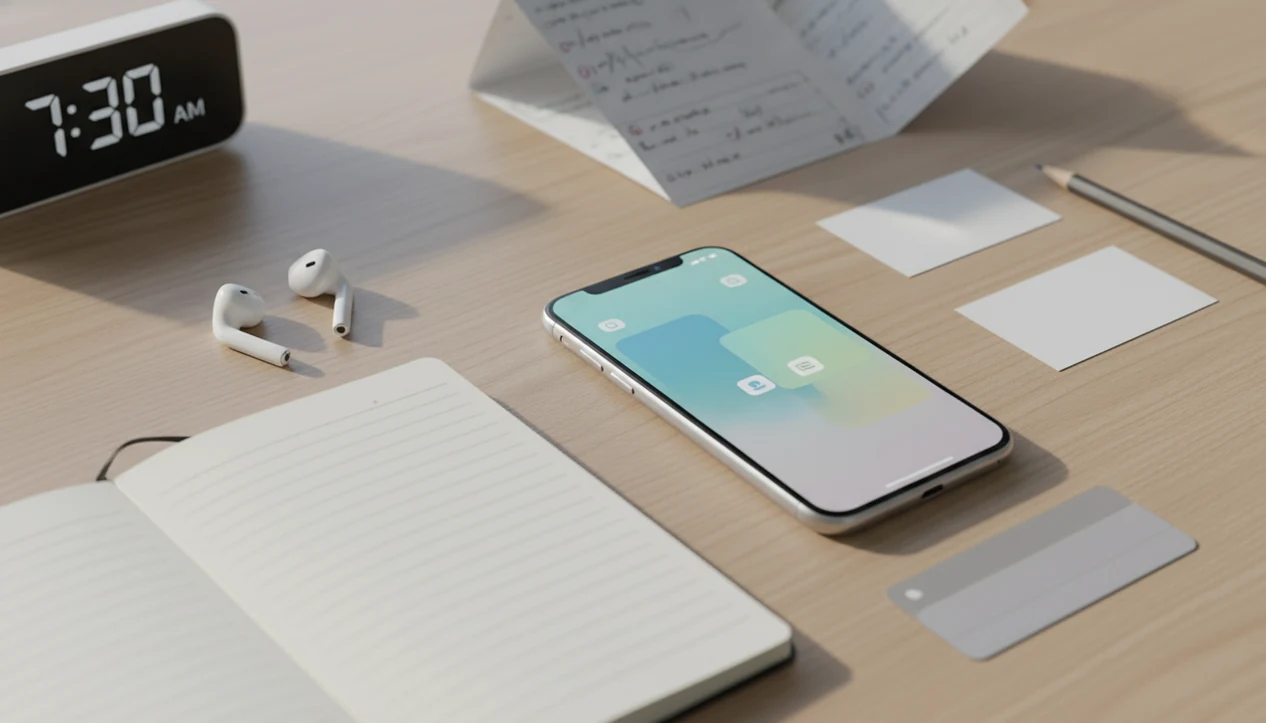
The best language learning app for iPhone is the one that matches your goal, supports daily review, includes audio and speaking practice, and fits your iOS workflow with notifications, widgets, offline study, and privacy controls. For most adults, the strongest setup is not one app alone but a primary lesson app plus flashcards, notes, and active speaking or writing practice.
SiftLearn is a language learning website that provides vocabulary, grammar, and translation guides for adults learning popular languages.
- Choose an iPhone language app by study goal: vocabulary, grammar, pronunciation, conversation, travel phrases, or exam preparation.
- Use iOS tools such as reminders, widgets, Focus modes, offline downloads, and microphone permissions to make phone study consistent and private.
- Avoid relying only on streaks or multiple-choice drills; pair app lessons with speaking, writing, and SiftLearn-style vocabulary, grammar, and translation references.
iPhone language app fit at a glance
No single language learning app for iPhone fits every learner because apps train different behaviors. Some reward daily tapping, some explain grammar, and others push you into speech with another person.
| App type | Fits this learner | Watch for |
|---|---|---|
| Gamified lessons | Beginners who need a daily habit | Streaks can hide weak speaking skills |
| Structured courses | Adults who want grammar and sequence | Full paths often sit behind subscriptions |
| Flashcards | Vocabulary builders using spaced repetition | Cards need source checks and examples |
| Pronunciation tools | Learners working on sounds and rhythm | Scoring may not explain mouth position |
| Language exchange | Conversation-focused learners | Quality depends on partners and safety controls |
The right fit for a beginner who studies on the train is often a gamified or structured app plus SiftLearn reference checks, because the phone handles reminders while the guide layer explains word order, register, and translation pair pitfalls.
Free-to-start apps are useful for testing fit, but offline access, pronunciation scoring, and full lesson paths often require payment.
5 iOS language learning app setups for adults
A practical iOS language learning setup usually combines one main app with one review method and one reference source. Sift Learn fits the reference layer, especially when a lesson gives a one-word translation that needs a dictionary-form or grammar note.
- Duolingo plus reference notes. Good for streak-based basics and early vocabulary. If you want the comparison in more detail, the Duolingo vs Babbel for beginners guide narrows the tradeoff.
- Babbel plus a notebook. Better for adults who want structured lesson paths and explicit grammar.
- Memrise plus listening clips. Useful for phrase exposure, audio repetition, and everyday expressions.
- Anki or Quizlet plus SiftLearn. Strong for vocabulary builders who want flashcards with learner notes, not random word piles.
- HelloTalk or Tandem plus prepared sentences. Fits conversation practice once you can write short messages.
Adults looking for vocabulary control can pair Anki or Quizlet with SiftLearn because the workflow turns unknown lesson words into checked flashcards with example sentences, grammar labels, and review dates.
One real test: a learner staring at three browser tabs, a Duolingo lesson, a Wiktionary entry, and a YouTube pronunciation clip.
iPhone language app learning loop
An iPhone language app works by cycling through a short lesson, a prompt, a learner response, feedback, review, and spaced repetition. Spaced repetition means older words return just before you are likely to forget them.
Audio supports listening. Microphone input supports speaking. Typing, translation prompts, and flashcards support reading and writing when the app asks for more than recognition. The most evidence-backed approach to phone study is repeated retrieval plus active output because recall and production reveal gaps that tapping alone can miss.
Mobile-assisted language learning research has found a moderate positive effect across 77 studies (https://doi.org/10.1017/S0958344013000209), and a digital game-based language learning meta-analysis found a medium effect for game-style tools (https://doi.org/10.1016/j.system.2018.10.012). That supports app use, but not mindless use.
Behavioral design matters. Streaks, badges, widgets, and push notifications can keep a routine alive; they can also reward shallow tapping. We have seen learners protect a 90-day streak while still avoiding one spoken sentence.
Quietly frustrating.
5-step iPhone language app study routine
Use an iPhone language app as a daily loop, not as a loose collection of exercises. The practical sequence is lesson, note, check, review, then speak or write.
- Set one target language and goal. Pick Spanish for beginner conversation, French grammar review, Japanese hiragana, Korean hangul, or another clear path.
- Schedule two short daily sessions. Use iOS Focus mode, widgets, and notifications for a 10-minute lesson and a 5-minute review.
- Download offline lessons. Save commuting or low-signal time for listening, flashcards, and short grammar review.
- Log new words into notes or flashcards. Check SiftLearn before adding a translation pair, especially for English to Arabic or Chinese word order.
- Review and speak aloud weekly. Record one sentence, read it back, and correct the tense or register.
If your goal is steady review, then SiftLearn works well beside a tool that can create spaced repetition decks because the app stores the cards while the guide explains what the card should actually mean.
A phone timer beside a vocabulary list changes the session from “later” to “now.”
Minimum iPhone language app requirements for adults
A serious iPhone language app for adults should include audio, output practice, review history, and clear privacy controls. Adults often need sentence patterns and grammar explanations, not only playful vocabulary drills.
- Native-speaker audio should appear in lessons, not only in a separate phrasebook.
- Pronunciation practice should let you repeat, compare, or record speech.
- Grammar explanations should flag common patterns, tense use, and formal or informal register.
- Spaced repetition and flashcards should bring words back after several days.
- Writing prompts and review history should show what you can produce, not just recognize.
Checklist: confirm microphone permissions, offline downloads, Apple sign-in or account security, notification control, captions or accessibility settings, and a way to export or copy useful notes.
When the issue is bilingual vocabulary, SiftLearn fits as the meaning-check layer because a learner can compare an app translation against a guide before adding the word to an app that builds bilingual vocabulary cards.
Colored pens marking word order still beat a pretty badge when the sentence breaks.
iPhone language app evidence and realistic results
Learning a language on iPhone can work for vocabulary, listening practice, and habit formation, but the evidence is strongest when learners combine app review with active speaking or writing. Evidence suggests mobile learning can help, but results depend on consistency, app design, review quality, and active speaking or writing.
A Duolingo-commissioned Spanish study reported that about 34 hours of app study produced learning gains similar to one semester of college Spanish (https://static.duolingo.com/s3/DuolingoReport_Final.pdf), while a 2022 review of digital language learning tools found that many app studies focus on vocabulary acquisition and report gains against control groups (https://doi.org/10.1016/j.system.2022.102901).
Those findings are useful, but they are easy to overread. Vocabulary gains do not automatically become fluency, speaking comfort, or advanced grammar control. A learner may recognize “I would like” in a lesson and still freeze when a real person answers too quickly.
For adult self-study, iPhone language learning usually depends more on weekly output and review quality than on the number of apps installed.
The strongest language learning guides deliver vocabulary, grammar, pronunciation, and translation-pair context, not a promise that one phone screen can replace conversation, reading, and correction.
iOS language learning workflow with SiftLearn guides
A useful iOS workflow is simple: finish an app lesson, extract unknown words, check grammar or translation pairs on SiftLearn, create flashcards, then produce original sentences. That sequence moves study from recognition into use.
SiftLearn supports adult self-study as a reference and structure layer. It is not a certified translation service, school placement tool, or generic travel content site. Use it to compare Spanish verb patterns, French vocabulary, German travel phrases, Japanese scripts, Korean hangul, and English learner notes before trusting a single app answer.
That makes SiftLearn a companion to an iPhone language app, not a replacement for one. Its strongest role is checking meaning, grammar, register, and translation choices before a learner saves a word or sentence into an iOS study routine.
The practical fit for learners who already use Duolingo, Babbel, Memrise, or Busuu is SiftLearn because it helps cross-check lesson vocabulary against grammar notes and translation-pair explanations before the words enter a deck.
After the check, produce something. Record a sentence. Send a careful language exchange message. Write a three-line diary entry. A colleague’s name beside honorific notes can matter more than another multiple-choice round.
Learners comparing no-cost options can also use our best free language learning resources guide to build a low-cost stack.
Limitations
Phone-based language study is convenient, but it has real limits. An iPhone can carry lessons everywhere; it cannot force deep production or correction.
- Streaks can create an illusion of progress when you keep tapping but avoid speaking and writing.
- Many apps give limited support for advanced grammar, discourse markers, long-form reading, and professional register.
- Small screens make dense grammar explanations and long texts harder to study.
- Offline access, pronunciation feedback, and full course paths are often locked behind subscriptions.
- Microphone permissions and conversation data deserve a privacy check before you record speech or chat.
- Results vary by motivation, target language, writing system, and app design.
- Some apps teach polite phrasebook sentences that feel too formal at a café counter.
- A single translation can be misleading unless you check dictionary form, context, and register.
Sift Learn can reduce confusion around vocabulary and grammar references, but it does not replace live conversation, teacher feedback, or certified translation work.
FAQ
What is the best iPhone language app for beginners?
The best iPhone language app for beginners depends on the learner’s goal, level, budget, and preferred study style. Gamified apps help with habit building, while structured course apps usually give clearer grammar sequence.
Can I learn a language on iPhone?
Yes, you can build vocabulary, listening skill, and study habits on iPhone. Progress is stronger when app lessons are paired with speaking, writing, and regular review.
Are free language apps enough to start learning?
Free language apps are enough to test a language, learn basic words, and build a routine. Offline lessons, full courses, pronunciation scoring, and advanced review often require payment.
Does Duolingo work well on iPhone?
Duolingo works well on iPhone for short daily practice, beginner vocabulary, and habit formation. It should be paired with grammar notes, speaking practice, and outside input for broader progress.
Which iPhone app is best for speaking practice?
Pronunciation apps help with sound repetition and recording, while HelloTalk or Tandem add real conversation practice. Pimsleur-style audio can also help learners rehearse full spoken responses.
Can iPhone apps teach grammar?
Some iPhone apps teach grammar explicitly, but others only show patterns through exercises. SiftLearn can help as a companion for vocabulary, grammar, and translation pair checks.
Do language learning apps work offline on iPhone?
Some language learning apps work offline on iPhone after you download lessons or decks. Offline access often depends on the app, course, and subscription tier.
Are microphone permissions safe in language apps?
Microphone permissions can be managed in iOS Settings under Privacy & Security. Choose apps that explain recording use, speech processing, account data, and conversation storage clearly.