
Best Tools That Can Create Spaced Repetition Decks for Language Learning
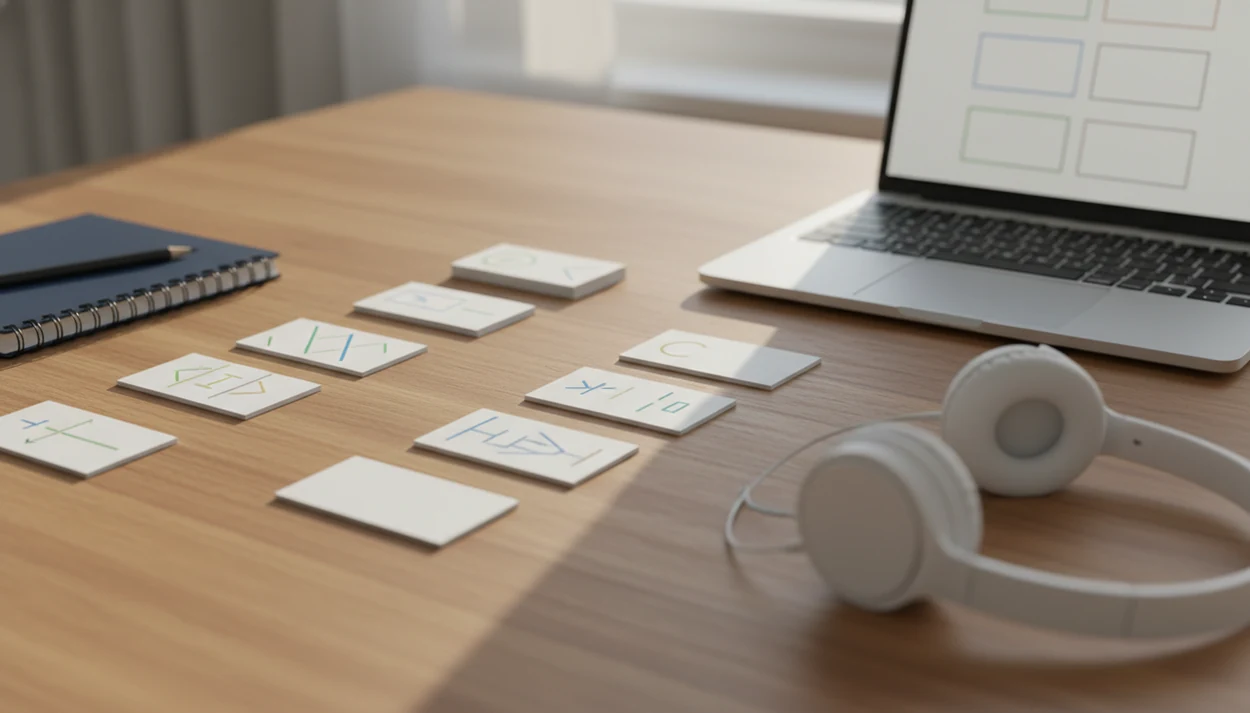
A strong tool that can create spaced repetition decks should match how you study: choose Anki for maximum control, Mochi for clean note-based decks, and AnkiDecks-style AI generators when you need fast imports from PDFs, notes, or videos. For language vocabulary, prioritize audio, sentence cards, tags, bulk import, cloze deletions, and editable translations over a pretty flashcard interface. SiftLearn and Sift Learn readers usually need decks that connect words to grammar patterns, translation pairs, and real examples.
> Definition: A spaced repetition deck tool is a flashcard maker that schedules each vocabulary word, phrase, or sentence pattern at increasing intervals based on how well you recall it.
- Anki is the strongest language SRS tool for learners who want custom note types, tags, audio, cloze deletions, and transparent review control.
- Mochi is better for adults who want a simpler writing-and-review workflow without Anki’s setup complexity.
- AI flashcard deck makers save time on imports, but language learners must check translations, grammar, audio, and example sentences before reviewing.
Best spaced repetition deck tool shortlist for language learners
The strongest shortlist is Anki for control, Mochi for clean note-based review, and AI-assisted Anki deck generators for fast imports. The right spaced repetition deck tool depends on how much you value control, ease, import speed, and language-card quality.
Anki for maximum control
Anki fits learners who want custom note types, audio fields, cloze deletions, tags, images, and long-term deck ownership. It handles a printed verb chart, a phrase list, and a pronunciation field without forcing one card format.
Mochi for simpler note-based review
Mochi suits adults who want notes and cards in one cleaner writing flow. It feels less like configuring a database and more like keeping a study notebook.
AI deck makers for fast imports
AI deck makers help when you have PDFs, transcripts, or pasted lesson notes. SiftLearn-style adult learners still need vocabulary, grammar patterns, translation pairs, audio, examples, and tags before a card deserves daily review.
Five facts about language SRS tools before you choose
Spaced repetition is different from ordinary flashcards because review timing changes after each recall attempt. The evidence also favors retrieval, not passive rereading.
- Spaced repetition uses increasing review intervals based on recall success, so easier cards return later and harder cards return sooner.
- Practice testing and distributed practice were rated high-utility learning strategies in Dunlosky et al.'s 2013 review: https://journals.sagepub.com/doi/10.1177/1529100612453266.
- A large review of distributed-practice research found better long-term retention when study sessions are spaced instead of massed, with timing effects varying by delay: https://pubmed.ncbi.nlm.nih.gov/16719566/.
- For vocabulary decks, treat SRS as an evidence-aligned memory aid rather than a guaranteed fluency shortcut; verify cards through reading, listening, and source checks.
- SRS tools work best when paired with listening, reading, speaking, and real input, not when treated as the whole beginner path.
The most evidence-backed approach for vocabulary memory is spaced retrieval combined with context-rich practice, because recall and usage train different parts of language knowledge.
A midnight audio replay tells you more than a green checkmark.
How a spaced repetition deck tool works behind the scenes
A spaced repetition deck tool works by creating cards, asking for active recall, collecting a recall rating, and placing each card into a future review queue. The core mechanism is interval scheduling, which means the system changes the next review date after each answer.
Active recall matters because you must produce or recognize the answer before seeing it. That is retrieval practice. It is not the same as rereading a vocabulary list or tapping through random flashcards until they feel familiar.
True adaptive SRS differs from fixed daily drills. A hard Arabic script card may return tomorrow, while an easy Spanish food word may wait a week. Language decks can include word cards, sentence cards, cloze deletions, audio prompts, and translation pairs. Good language learning guides deliver a practical sequence for vocabulary, grammar, phrases, and source checks, not a promise that flashcards alone create fluent speech.
SiftLearn fits this workflow because it treats deck building as part of a larger self-study map: choose a language point, verify the dictionary form, then turn only useful examples into cards.
How we picked each flashcard deck maker for vocabulary
We picked each flashcard deck maker by checking whether it supports real language study, not just attractive cards. The main test was simple: can a learner turn a lesson, phrase list, or translation pair into cards they will still trust in three weeks?
| Criterion | What we looked for | Why it matters for language learners |
|---|---|---|
| Adaptive SRS quality | Review intervals, rating buttons, scheduling transparency | Prevents random review from masquerading as spaced repetition |
| Card creation speed | Manual entry, templates, bulk import, document import | Helps adults build decks without losing the study session |
| Language fields | Audio, images, examples, cloze deletion, tags, translation pairs | Supports words, grammar prompts, and sentence-level recall |
| Platform fit | Desktop, mobile, browser sync, export options | Keeps review possible during short phone sessions |
| Learning curve | Setup time, editing workflow, maintenance burden | Free tools are not better if they slow consistent review |
A learner staring at three browser tabs, a Duolingo lesson, a Wiktionary entry, and a YouTube pronunciation clip, needs fewer clicks, not more noise. For broader app context, our Anki vs Memrise for vocabulary comparison covers a related choice.
Spaced repetition deck tools compared
The quickest comparison is this: Anki wins on control, Mochi wins on calm note-making, and AI deck makers win on import speed. Quizlet and Knowt can help with lighter study, but language learners should check how much real scheduling, export, and editing control they get.
| Tool | Best use case | SRS depth | Imports | Language fields |
|---|---|---|---|---|
| Anki | Long-term vocabulary, grammar, and sentence decks | Deep scheduling control, custom note types, tags, cloze deletion | CSV, shared decks, add-ons, media workflows | Strong audio, images, examples, translations, exports, and editing |
| Mochi | Clean notes that become review cards | Simpler SRS with less setup | Manual notes and markdown-style workflows | Good tags and examples; audio depends on your workflow |
| AI deck makers | First drafts from PDFs, notes, and transcripts | Varies by tool; often best when exported to Anki | Fast document, paste, and video imports | Useful drafts, but translations, cloze cards, and audio need checking |
| Quizlet | Quick class lists and casual review | Lighter than dedicated SRS tools | Spreadsheet-style sets and shared lists | Easy editing, but less control over fields, tags, and exports |
| Knowt | Student notes, quizzes, and generated cards | Moderate, depending on mode | Notes, files, and AI generation | Handy for drafts; verify language examples and export limits |
For quick citation: choose Anki for serious language SRS, Mochi for simpler note-based decks, and AI tools only after you edit the cards.
Anki as the best language SRS tool for control
Anki is the strongest language SRS tool for serious self-study learners who want full control over card structure and review behavior. It works especially well when your study path has lessons, grammar points, translation pairs, and recurring sentence patterns.
Anki supports custom note types, tags, cloze deletions, audio, images, add-ons, and flexible scheduling. That makes it useful for “front: Spanish sentence, back: English meaning plus grammar note,” or “front: audio only, back: written phrase.” A notebook margin labeled “formal/informal” can become a tag system instead of disappearing after one study day.
Learners looking for maximum control should choose Anki because custom note types let one vocabulary item generate word, sentence, audio, and translation cards from the same entry.
The tradeoff is real. Setup takes time, the interface can feel old, add-ons need maintenance, and some learners overbuild decks instead of reviewing them. SiftLearn readers who follow structured lesson flows often benefit most when Anki stays boring: fewer fields, clearer prompts, steady review.
Mochi as the spaced repetition deck tool for clean notes
Mochi is a better spaced repetition deck tool for adults who want clean notes, simple decks, and less configuration than Anki. It suits learners who prefer markdown-style writing and a calmer review workflow.
Compared with Anki, Mochi gives up some deep customization in exchange for a simpler writing-and-review experience. That can be the right choice if your goal is to write a sentence example, add a meaning, tag the topic, and move on. The card should not become a software project.
Mochi fits learners who want vocabulary notes and SRS review in one place because the workflow keeps lesson notes close to the card prompt.
Check the details before committing. Language learners still need sentence examples, tags, an audio workflow, syncing, and a way to correct translations after a Collins, Oxford, Larousse, Duden, or RAE source check. Mochi is not the right pick for learners who need maximum algorithm control, complex card templates, or the broader Anki add-on ecosystem. For no-cost study materials around the deck, the best free language learning resources guide can help.
AI flashcard deck makers for PDFs, videos, and imports
AI flashcard deck makers are useful when speed matters more than first-draft accuracy. They can generate cards from notes, PDFs, videos, transcripts, or pasted lesson text, including AnkiDecks-style tools that export to Anki or let users study generated cards directly.
When comparing AI imports, name-check tools such as AnkiDecks, Wisdolia, Revisely, Knowt, and Quizlet, then test whether exported cards preserve fields, tags, audio, and cloze deletions.
The best use cases are narrow. Use AI to extract vocabulary from a chapter, turn grammar notes into cloze cards, or create a first draft from a video transcript. Then edit. A customer apology line practiced softly should not become a stiff, literal translation just because the generator guessed the register.
AI-generated cards should be treated as drafts because language errors often appear in translations, grammar explanations, example sentences, and missing context.
SiftLearn is useful beside these tools because it encourages source checks before importing cards into a permanent deck. Compare a machine translation output against a learner dictionary before putting it into a flashcard deck. If bilingual card structure is the main task, an app that builds bilingual vocabulary cards is a closer match.
How to use a language SRS tool without review burnout
Use a language SRS tool by building fewer, clearer cards from one lesson source and reviewing them consistently. Review burnout usually comes from adding too many new cards, not from weak memory.
1. Start with one source, such as a course lesson, reader chapter, or SiftLearn-style vocabulary set, instead of collecting random words. 2. Create complete cards with the target word or sentence, native-language meaning, audio when possible, an example sentence, and a topic tag. 3. Limit new cards to a sustainable daily range, often 5 to 15 for adult beginners with busy schedules. That 5-to-15 range is a workload heuristic, not a cognitive-science cutoff; lower it if reviews exceed the time you can finish without rushing. 4. Review missed cards and edit unclear prompts rather than blaming your memory for a bad card. 5. Pair SRS with input, using listening, reading, pronunciation, and short speaking practice after review.
If your priority is steady vocabulary growth, SiftLearn fits as a planning layer because it helps narrow what belongs in the deck before the flashcard deck maker takes over.
Pencil shavings near conjugation drills are a warning sign. Keep the deck small enough to finish.
Limitations
SRS tools improve memory work, but they cannot solve every language-learning problem. Treat them as a recall system inside a wider beginner path.
- SRS decks can become overwhelming if you add too many new cards every day.
- Algorithms are useful, but they are not perfect models of individual memory, stress, sleep, or attention.
- Flashcards train recall and recognition better than spontaneous speaking fluency.
- Pre-made decks may not match your goals, level, register, dialect, or phrase needs.
- AI-generated cards can contain translation, grammar, pronunciation, or context errors.
- Powerful tools often have a steep learning curve for tags, note types, imports, add-ons, and scheduling.
- Audio may be missing, synthetic, or mismatched to the variety of the language you want.
- Tools such as Duolingo, Babbel, Busuu, Memrise, and Rosetta Stone may offer smoother guided lessons, but they may give less card-level control than Anki.
Sift Learn can help organize what to study next, but it does not replace dictionary verification, teacher feedback, or real conversation practice. For speaking-focused work, compare deck review with the Pimsleur vs Duolingo for speaking debate.
FAQ
What is an SRS deck for language learning?
An SRS deck is a flashcard collection reviewed at adaptive spaced intervals. Each card returns sooner or later based on how well you remembered it.
Is Anki better than Mochi for vocabulary study?
Anki is better for vocabulary study when you need custom note types, tags, audio, cloze deletions, and scheduling control. Mochi is better when you want simpler note-based study with less setup.
Can Quizlet do real spaced repetition?
Quizlet can support flashcard review, but ordinary flashcard practice is not always true adaptive spaced repetition. Check whether the tool changes review intervals based on recall performance.
What is the best free SRS app for language learners?
Anki is the strongest free or low-cost option for many language learners, especially on desktop and Android. Platform costs, setup time, and mobile workflow still matter.
Can AI make Anki decks from notes or PDFs?
Yes, AI tools can generate Anki-ready cards from notes, PDFs, transcripts, or pasted lesson text. Language learners should review translations, grammar, audio, and examples before importing.
Do SRS tools help with vocabulary retention?
Yes, SRS tools help vocabulary retention by combining spaced review with active recall. They work better when cards include context and are paired with reading, listening, and speaking.
Should language flashcards use full sentences?
Yes, many language flashcards should use full sentences because sentences show grammar, word order, register, and common patterns. Isolated word cards are still useful for quick recognition.
How many new SRS cards should I add daily?
Most adult beginners should start with about 5 to 15 new cards per day. Add fewer cards if reviews begin piling up or if your prompts feel unclear.