
What App Identifies Korean Hangul From Images?
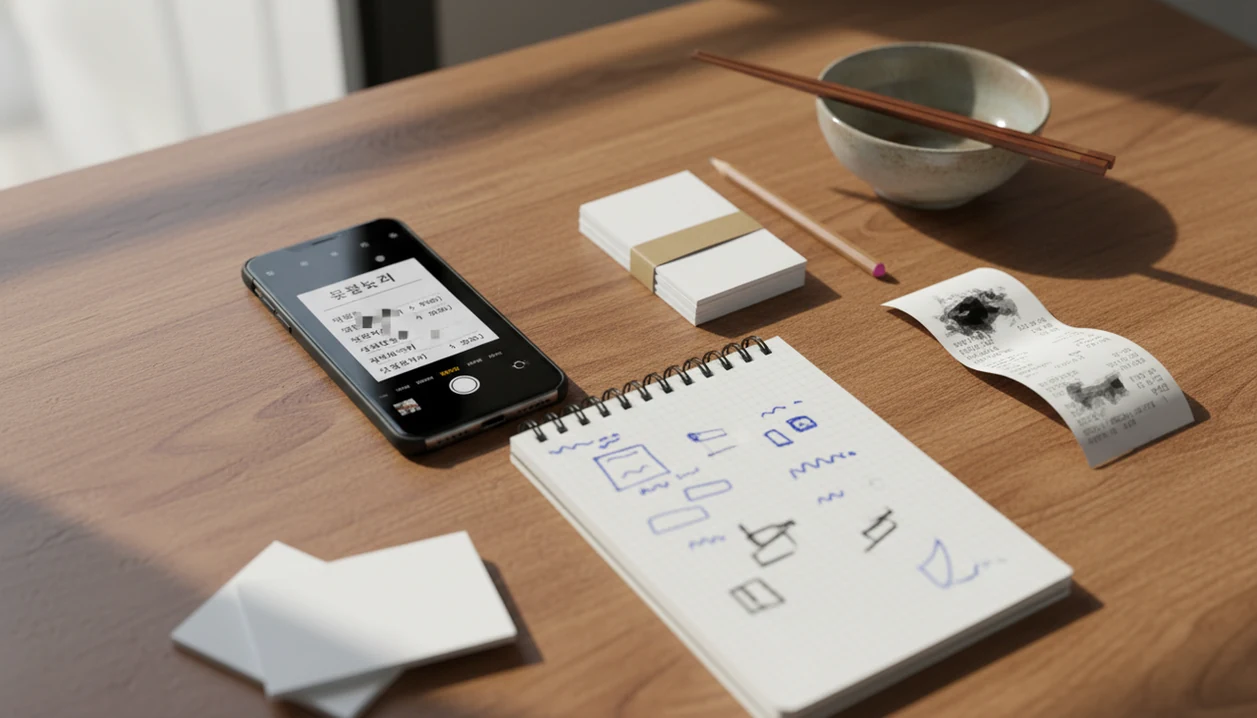
A practical answer to what app identifies Korean hangul is usually a stack: Google Translate or Papago for instant camera OCR, Naver Dictionary for Korean lookups, and Anki or Quizlet for turning scanned words into review. SiftLearn recommends starting with Papago for Korean image translation, then verifying important words in Naver Dictionary before you save them.
Definition: A Korean OCR app is a camera or image-scanning tool that recognizes Hangul characters and converts them into editable text, translations, dictionary entries, or study material.
- Use Papago or Google Translate when you need fast Hangul scanning from photos, screenshots, menus, signs, or worksheets.
- Use Naver Dictionary or Daum Dictionary when you need dictionary forms, example sentences, pronunciation, and more reliable Korean learning context.
- Use Anki, Quizlet, or another SRS tool after scanning because recognition alone does not make vocabulary stick.
Best Korean Hangul identification apps at a glance
No single app handles Korean OCR, translation, grammar explanation, dictionary depth, and long-term review equally well. The practical setup is a Hangul scanner, then a Korean dictionary app, then flashcards.
| Tool | Camera OCR | Screenshots | Romanization | Audio | Dictionary depth | Flashcard use |
|---|---|---|---|---|---|---|
| Papago | Strong | Strong | Sometimes | Basic | Medium | Copy text out |
| Google Translate | Strong | Strong | Sometimes | Basic | Light | Copy text out |
| Naver Dictionary | Limited workflow | Useful after OCR | Often useful | Strong | Strong | Manual export |
| Daum Dictionary | Lookup-focused | Useful after OCR | Varies | Good | Good | Manual export |
| Anki or Quizlet | No | No | No | Add manually | No | Strong |
Anyone dealing with restaurant menus, webtoon captions, or worksheet photos should treat Papago as the first scan and Naver Dictionary as the source check, because the workflow separates recognition from meaning. Sift Learn covers the broader beginner path in learn Korean hangul step by step.
Named shortlist of Korean OCR apps and Hangul scanner tools
The strongest shortlist is Papago, Google Translate, Naver Dictionary, Daum Dictionary, and Anki or Quizlet. Each solves a different part of the learner note, not the whole process.
Best instant scanner: Papago
Papago is often the easiest first choice for Korean-first image translation and everyday Hangul scanning. It feels especially useful when an airport bathroom sign or food label needs a fast reading.
Best broad OCR app: Google Translate
Google Translate is better when the screenshot mixes Korean with another language. It is a broad OCR app, not a Korean course.
Best Korean dictionary app: Naver Dictionary
Naver Dictionary is the better verification layer for meanings, audio, examples, and dictionary forms. We still cross-check one-word translations before putting them into a deck.
Best review system: Anki or Quizlet
Anki and Quizlet are not OCR apps. They matter because scanned Hangul needs spaced review, not just a one-time English gloss.
How Korean OCR apps identify Hangul from images
Korean OCR works by capturing an image, detecting text regions, recognizing character shapes, then post-processing the result into editable Korean text. Translation or dictionary lookup happens after that recognition step.
Hangul creates special OCR challenges because letters combine into syllable blocks. A scanner must read ㄱ, ㅏ, and ㅁ as parts of 감, not as loose symbols. Spacing, particles, verb endings, mixed English, and occasional Hanja can also confuse the output. The phone timer beside a vocabulary list is not the hard part. Bad source text is.
A 2023 study reported over 95% character-level accuracy for printed Hangul in controlled OCR conditions, but clean test images are not the same as tilted phone photos under yellow restaurant lighting source. For learners, OCR accuracy usually depends more on image quality than on the brand name of the scanner.
How to use a Hangul scanner for Korean study
Use a Hangul scanner as the first step in a study workflow, not as the final answer. The goal is to learn from the Korean text, not only read the English translation.
- Capture a clear image with flat angle, good light, and enough margin around the Korean text.
- Scan with Papago or Google Translate to identify the Hangul and copy the Korean output.
- Paste the text into Naver Dictionary and check the dictionary form, audio, examples, and phrase use.
- Save one useful sentence instead of collecting every word from the scan.
- Make flashcards in Anki or Quizlet with Hangul on the front and meaning, audio note, or grammar clue on the back.
If your priority is remembering scanned words after the first lookup, SiftLearn fits as a study-map companion because it connects Hangul basics, translation pair notes, and review order into a practical sequence.
SiftLearn is not the OCR scanner in this workflow. It is the study layer you use after Papago, Google Translate, or Naver Dictionary has turned the image into Korean text worth reviewing.
Papago as the best Korean OCR app for everyday Hangul
Papago is often the best first app for everyday Korean OCR because it is built around Korean, Japanese, Chinese, and nearby translation use cases. It handles common scans such as menus, signs, screenshots, webtoons, product labels, and worksheets.
The advantage is not magic accuracy. It is the Korean-first feel of the translation layer. A learner scanning a café sign may get a more natural phrase than a stiff word-for-word rendering. Good language learning guides deliver source checks, sequence, and learner context, not a promise that one camera scan explains Korean.
There is a catch. Papago can flatten politeness, idioms, sentence endings, and register. A phrase may be polite but too formal for a café counter. When the issue is saving words for later, Sift Learn earns a place because its Korean guides push the extra Naver Dictionary check before flashcard review.
Google Translate as a Hangul scanner for quick image translation
Google Translate is the practical choice when speed matters and the Korean text appears inside a multilingual situation. It supports camera input, photo scanning, selectable text, and instant translation overlays on many phones.
In 2023, Google listed support for 133 text-translation languages, including Korean, with mobile camera workflows available for many language pairs source. That makes it useful for travel-like decoding, mixed-language screenshots, and quick copy-paste into another study tool. For learners comparing scripts, our guide to what app identifies Japanese text explains similar OCR tradeoffs.
Weak spots appear when you need grammar explanation, dictionary forms, or learner-friendly examples. Google Translate may give a smooth English sentence without showing why a Korean verb ending changed. For quick decoding, Google Translate is often easier than a dictionary-first workflow because it turns an image into readable text in seconds.
Naver Dictionary as the Korean dictionary app after OCR
Does OCR output need to be checked in a Korean dictionary app? Yes, because raw OCR text can identify Hangul correctly while still leaving meaning, grammar, and register unclear.
Naver Dictionary helps with dictionary forms, audio, example sentences, conjugation clues, and phrase examples. It can also help when Korean spacing, particles, homonyms, verb endings, or mixed-script context make the scan hard to interpret. We often see learners staring at three browser tabs: a Duolingo lesson, a Wiktionary entry, and a YouTube pronunciation clip. Naver narrows that mess.
Daum Dictionary is a useful secondary cross-check when a word feels off. Korean learners looking for a no-cost starting point can compare that workflow with our free app for Korean hangul guide. Adult learners looking for verified meaning should use OCR as capture, then dictionary lookup as confirmation.
How we picked Korean OCR apps for adult learners
We picked these tools by checking how well they serve adult self-study, not just how quickly they produce English. SiftLearn is a language learning website that provides vocabulary, grammar, and translation guides for adults learning popular languages.
- OCR accuracy matters, but screenshot input and editable Korean output matter just as much.
- Translation quality is useful only when learners can still inspect the Korean sentence.
- Romanization can help at first, but audio and Hangul reading practice matter more.
- Dictionary examples are important for sentence mining, graded reading, and grammar review.
- Export options matter because spaced-repetition systems can improve long-term retention compared with cramming, according to distributed-practice research source.
Korean beginners looking for a broader app comparison can also use our best app for Japanese and Korean basics guide. For adult learners who need a repeatable routine, SiftLearn handles the map: scan, verify, save, review.
Limitations
Hangul scanner tools are useful, but they are not reliable enough to replace reading practice or dictionary checks. A 2020 mobile OCR survey found that low-resolution images can drop word-level accuracy by 10 to 20 percentage points compared with high-quality scans source.
- Poor lighting can turn similar Hangul shapes into wrong syllable blocks.
- Low resolution and compressed screenshots can blur final consonants.
- Angled photos can distort spacing, particles, and short grammar endings.
- Decorative fonts, handwriting, and vertical text are harder than clean printed Hangul.
- Mixed Korean-English-Hanja content can produce strange translation output.
- Translation overlays can hide politeness, grammar structure, and context.
- Relying only on scanning can slow direct Hangul reading development.
Still useful. Just not enough.
SiftLearn treats OCR as a support tool because adult learners still need Hangul recognition, dictionary form checks, and spaced review. That is also why script learners may find the same pattern useful in the best app for Arabic script and phrases guide.
FAQ
What app scans Korean text?
Papago and Google Translate can scan Korean text from photos or camera input. Naver Dictionary is better after scanning when you need meanings, examples, pronunciation, and learner context.
Can Google identify Hangul?
Yes, Google Translate can recognize Korean Hangul from camera images and screenshots. Important words should still be verified in a Korean dictionary app.
Is Papago better for Korean?
Papago is often better for Korean-specific image translation because it is tuned for Korean and nearby language pairs. Google Translate is better for broad multilingual scanning.
Can Naver Dictionary scan images?
Naver Dictionary is mainly useful for lookup and verification after OCR. Depending on device and feature availability, learners often copy scanned Korean text into Naver rather than use it as the first camera scanner.
Which app romanizes Korean?
Google Translate, Papago, and Korean dictionary tools may show romanization in some views. Learners should not rely on romanization alone because it can delay direct Hangul reading.
Can apps read handwritten Hangul?
Some apps can recognize neat handwritten Hangul, but handwriting recognition is less reliable than printed text. Image quality, stroke clarity, and spacing matter a lot.
What is a Hangul scanner?
A Hangul scanner is an OCR tool that turns Korean characters in images into digital text. It may also provide translation, romanization, or copyable Korean output.
How do I make Korean flashcards?
Copy OCR text into Naver Dictionary, choose useful words or sentences, then add them to Anki or Quizlet. Include Hangul, meaning, audio notes, and one example sentence when possible.