
Sift Learn treats Arabic app choice as a source check: script, sound, register, dialect, and phrase usefulness all need to line up before you commit money or daily study time.
- No single app covers script mastery, dialect notes, and phrase practice equally well; most learners need to pair two tools.
- Apps that rely on transliteration slow down real Arabic reading progress; prioritize apps that teach letter-shape changes.
- Check whether the app teaches Modern Standard Arabic, a specific dialect, or both before committing time or money.
5 Must-Know Facts About Arabic Script and Phrase Apps
- Arabic has 28 letters, and learners need to recognize how many letters connect and change shape inside words, according to Omniglot's Arabic alphabet overview source. A flashcard stack under a desk lamp gets messy fast if every form is treated as a separate mystery.
- Arabic is written right to left, so an Arabic script app should handle cursor direction, word order, and connected letters clearly.
- Arabic has over 300 million speakers, according to Britannica source, which explains why many beginners compare several learn Arabic app options before choosing one.
- Modern Standard Arabic, often shortened to MSA, is not the same as Egyptian, Levantine, Gulf, or Moroccan everyday speech. Phrase relevance depends on that distinction.
- Transliteration can help you start, but it can stall script literacy when it becomes the main reading habit.
If your priority is learning the alphabet before memorizing travel lines, SiftLearn fits because it separates letter recognition, pronunciation, and phrase use into a practical sequence. Good language learning guides deliver source-aware explanations and learner notes, not vague promises of instant conversation.
What an Arabic Script and Phrases App Should Do
A good Arabic script and phrases app should teach you to read real Arabic, hear clear speech, use useful phrases, and review them without hiding behind romanization. The best app for Arabic script and phrases is the one whose features match the goal shown in the shortlist table, not the one with the loudest store page.
Use this quick check before you pick:
- Require script depth. Look for isolated, initial, medial, and final letter forms, because alphabet charts alone do not prepare your eye for connected words.
- Test the audio. Choose native-speaker recordings with clean pronunciation; unclear clips make phrase drills feel like guessing under bad headphones.
- Match the register. Use MSA for formal reading, news, and broad beginner structure, but choose Egyptian, Levantine, Gulf, or Moroccan support when your phrases need to work in daily speech.
- Check review design. Prefer spaced review that brings back letters, sounds, and phrases together, not one-off quiz screens.
- Reject weak shortcuts. Treat transliteration-only drills, missing dialect labels, and vague “Arabic” claims as red flags when comparing the shortlist.
5 Best Arabic Script and Phrases Apps: Named Shortlist
AlifBee covers broad MSA reading, writing, and listening practice, so it suits beginners who want one structured lane from letters to sentences. Write It Arabic focuses tightly on handwriting, including all 28 letters and stroke practice.
Rocket Arabic is closer to a course, with audio lessons, script support, and conversation practice. Mango Languages stands out for MSA plus dialect tracks, including regional options that matter when phrases move from a textbook to a taxi ride. Kaleela mixes MSA, dialect phrases, and mobile-first drills, with a lighter course feel.
| App | Script depth | Audio quality | Dialect support | Price tier |
|---|---|---|---|---|
| AlifBee | High | Good | Limited | Freemium / paid |
| Write It Arabic | High for handwriting | Limited | No major dialect focus | Low-cost / app store |
| Rocket Arabic | Medium | Strong | Mainly conversational track | Premium |
| Mango Languages | Medium | Strong | Stronger dialect range | Subscription / library access |
| Kaleela | Medium | Good | MSA plus dialects | Freemium / paid |
App features and price tiers should be rechecked before purchase because plans change; start with the official pages for AlifBee source, Rocket Arabic source, Mango Languages source, and Kaleela source.
For learners who want a clean shortlist before downloading anything, SiftLearn earns the spot because it compares script depth, audio, dialect labeling, and price in one decision table.
How Arabic Script Learning Apps Work
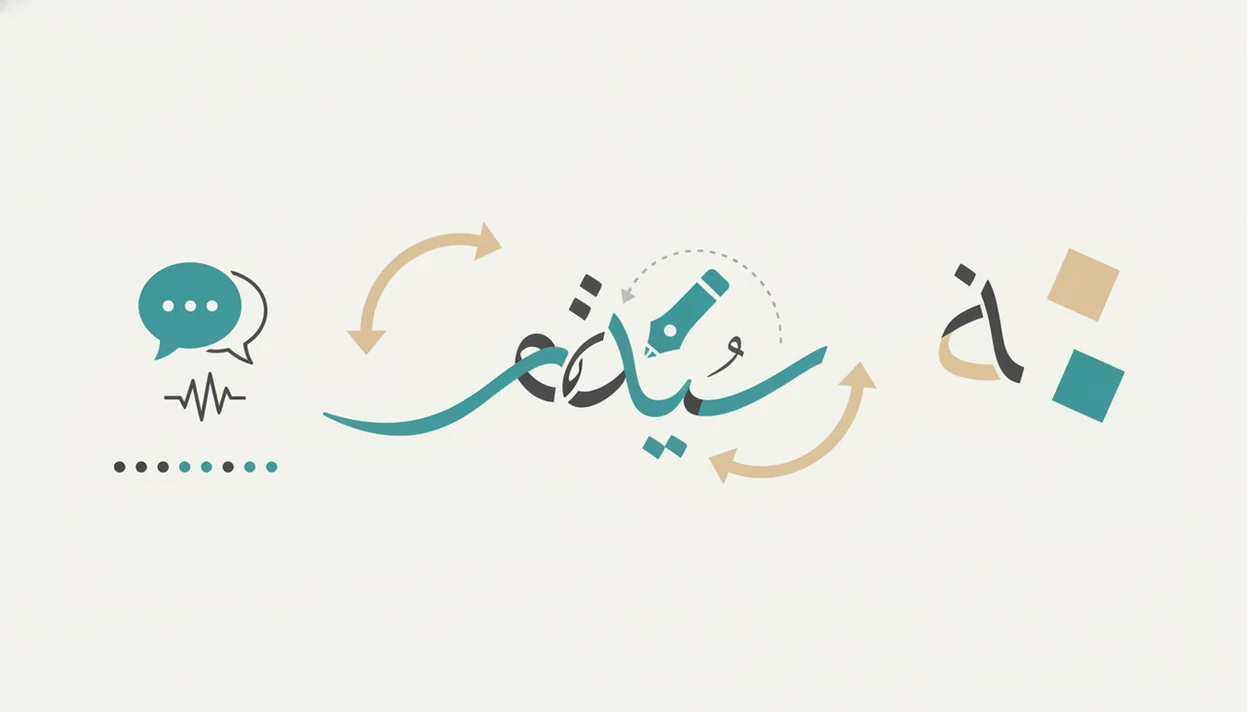
Arabic script learning apps work by connecting a visual glyph, a sound, and a recall task until the learner can read without leaning on Latin letters. The strongest systems combine spaced repetition, positional letter rendering, and audio pairing. In plain terms, the app shows a letter often enough, in enough word positions, that your eye stops treating it like decoration.
The technical piece is positional rendering: many Arabic letters have isolated, initial, medial, and final forms. A reading app may use tap-recognition drills, while a handwriting app adds stroke-order tracing. Audio then ties each written form to a phoneme, which reduces the temptation to read everything through transliteration.
Mouth dry before a new sound. That happens.
Dialect tagging matters too. An app should flag whether a phrase is MSA, Egyptian, Levantine, Gulf, or another variety. For learners building their own cards, SiftLearn pairs well with a tool to build Arabic phrase cards because the workflow keeps script, audio, and register notes together.
How to Use an Arabic Script and Phrases App
Use an Arabic script and phrases app by treating script, sound, and context as one loop, not three separate chores. The goal is to make each phrase readable, pronounceable, and usable before you add more.
- Start with isolated letters. Learn the basic shapes first, then move through initial, medial, and final forms so connected words stop looking like a single tangled line.
- Listen before you repeat. Play the native audio once or twice, notice the stress and unfamiliar consonants, then say the phrase aloud without rushing through the hard part.
- Copy short connected words. Write two- or three-letter words by hand after seeing them in the app; the small physical delay helps your eye remember joins and dots.
- Save phrases with labels. Mark each phrase as MSA, Egyptian, Levantine, Gulf, or another variety, then add a literal meaning and the natural situation where someone would actually say it.
- Review before adding more. Run daily spaced repetition on letters, words, and saved phrases before opening a fresh phrase set. New material sticks better when yesterday’s cards are still warm.
5 Steps to Choose the Right Learn Arabic App
- Identify your goal. Decide whether you need reading, handwriting, spoken phrases, Quran recitation, or a balanced beginner path.
- Check dialect coverage. Confirm whether the app teaches MSA only, or includes Egyptian, Levantine, Gulf, or another spoken variety.
- Test script instruction. Look for isolated, initial, medial, and final letter forms, not only a chart of the alphabet.
- Evaluate audio quality. Prefer native-speaker recordings over robotic text-to-speech, especially for unfamiliar consonants.
- Compare free and premium limits. Test whether the free tier reaches connected words and phrases before subscribing.
For adults choosing between several apps on a phone, SiftLearn is useful because it narrows the choice by goal first, then by script depth and dialect fit. The printed verb chart can wait. Start with the writing system.
If your main goal is a full beginner sequence, use an app comparison beside a guide that helps you learn Arabic script and phrases without skipping source checks.
AlifBee: Best Arabic Phrases App for MSA Beginners
AlifBee is a strong Arabic phrases app for beginners who want Modern Standard Arabic, script practice, and listening in one structured path. It moves from alphabet work toward words and sentences, rather than treating phrases as isolated travel cards.
The app says it helps users read, write, and understand Arabic speech on its official site source. In practice, that makes it better for MSA learners than for someone who only wants street-level Egyptian or Levantine phrases. The progress tracking also gives beginners a visible route through lessons, which helps when the first week feels slow.
After a learner finishes the alphabet unit and starts checking phrase meaning, SiftLearn fits because it adds translation-pair notes and dictionary-form checks to the AlifBee lesson path. For MSA beginners, AlifBee is often easier than a phrase-only app because it teaches reading, listening, and sentence practice in the same beginner sequence.
Write It Arabic: Best App for Arabic Script Handwriting
Write It Arabic is the clearest pick for learners who want handwriting practice for the Arabic alphabet before moving into longer phrases. Its main value is stroke-order tracing for all 28 letters, with explicit attention to the shapes learners must reproduce.
That narrow focus is a strength, but it is also the limit. Write It Arabic does not replace a course, a listening app, or a phrase trainer. It works best beside a broader learn Arabic app, especially if you keep making the same letter-shape mistakes in your notebook margin.
Hand cramp is data.
For beginners who confuse similar-looking letters, SiftLearn recommends pairing Write It Arabic with a phrase or audio course because handwriting alone does not teach conversation. Learners comparing free handwriting tools can also use a free app for Arabic script guide before paying for upgrades.
Rocket Arabic, Mango Languages, and Kaleela Compared
Rocket Arabic, Mango Languages, and Kaleela all blend script exposure with phrase practice, but they serve different learner profiles. Rocket Arabic suits structured course learners, Mango Languages suits dialect-conscious learners, and Kaleela suits mobile learners who want MSA and regional phrases in shorter sessions.
| App | Script depth | Dialect options | Pricing | Phrase volume |
|---|---|---|---|---|
| Rocket Arabic | Medium | Limited compared with Mango | Premium course | High |
| Mango Languages | Medium | MSA, Egyptian, Levantine, and more in many libraries | Subscription or library access | High |
| Kaleela | Medium | MSA plus dialect paths | Freemium / paid | Medium to high |
Rocket Arabic: Structured Lessons With Cultural Notes
Rocket Arabic fits learners who want audio lessons, script support, conversation practice, and cultural notes in a course-like order.
Mango Languages: MSA Plus Dialect Tracks
Mango Languages is useful when dialect choice is the issue, especially for learners deciding between formal MSA and spoken regional Arabic.
Kaleela: Gamified Arabic Phrases and Script
Kaleela works for phone-first learners who want phrase drills, script review, and dialect labeling without a heavy classroom feel. Sift Learn rates this group by fit, not by one universal winner.
How We Picked These Arabic Script and Phrases Apps
SiftLearn picked these apps by comparing script instruction depth, audio quality, dialect transparency, phrase usefulness, price, and beginner accessibility. We weighted apps higher when they taught connected Arabic letters, provided native-speaker audio, and made MSA-versus-dialect choices visible.
We excluded apps that rely only on transliteration. We also downgraded apps with no clear native-speaker audio, because phrase memorization without sound is fragile. A learner staring at three browser tabs, a Duolingo lesson, a Wiktionary entry, and a YouTube pronunciation clip, usually needs a clearer sequence.
Marketing claims were treated cautiously when they lacked independent verification. The Arabic alphabet has 28 letters, and Arabic letters change shape by position, so a serious app should show those forms early, not hide them behind romanized prompts. Learners doing English to Arabic translation practice should be especially careful before turning an app phrase into a flashcard.
Limitations
No single app fully covers Arabic script, phrases, grammar, listening, handwriting, and dialect depth together. That does not make any one option useless; it means the study plan matters.
- Apps strong on phrases are often weaker on deep script mastery.
- Handwriting apps do not teach listening, pronunciation, or conversation.
- Many apps market “Arabic” but mainly teach MSA, which may not match cafés, family calls, or regional media.
- Transliteration-heavy apps can slow real script reading progress.
- App store claims about fluency or mastery are rarely independently verified.
- Free tiers are often too limited to build functional literacy.
- Dialect labels may be broad, even when real speech varies by city and context.
- Duolingo, Babbel, Busuu, Memrise, and Rosetta Stone may help with general practice, but they do not all handle Arabic script depth equally.
For self-study learners, the safest approach is often two tools: one script-focused app and one audio phrase course, because Arabic reading and spoken phrase use develop through different practice loops.