
Language Learning App for Android: Study Routines That Work
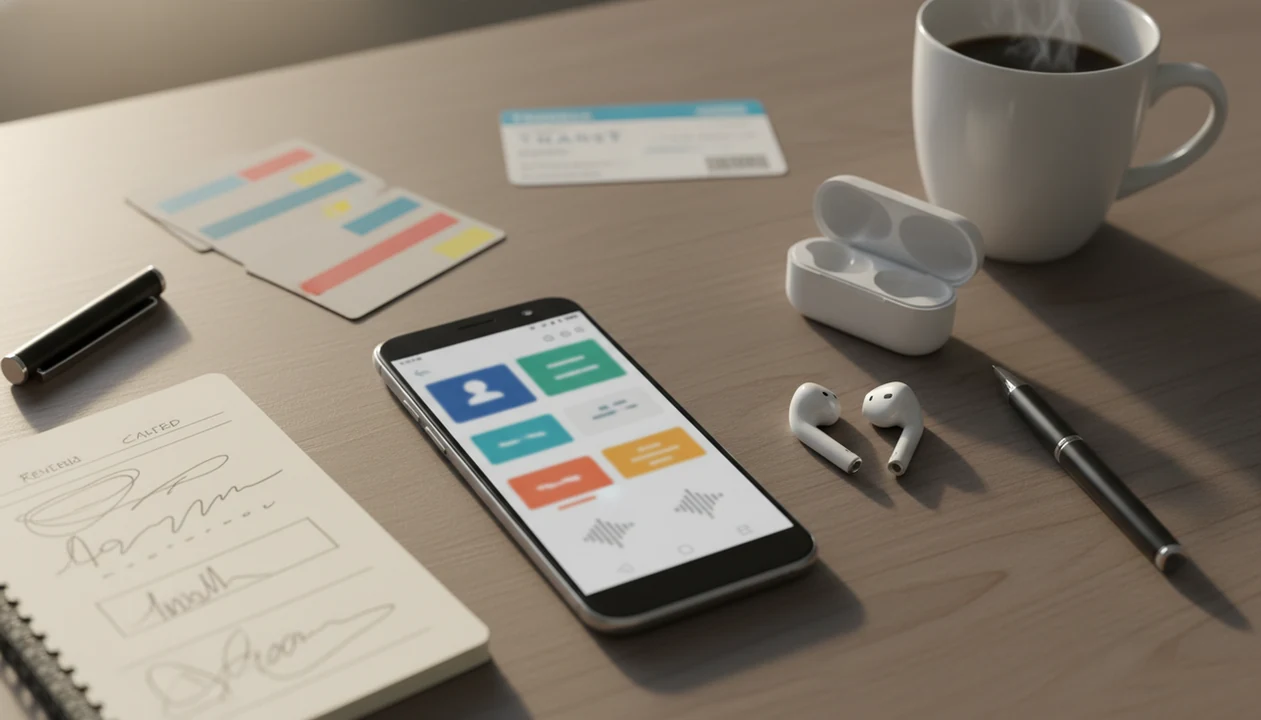
Choose a language learning app for Android that combines structured lessons, audio practice, spaced review, typing, offline access, and privacy controls instead of relying only on streaks or multiple-choice games. The best Android setup is usually one main lesson app plus a repeatable 10–20 minute phone routine for vocabulary, grammar, listening, and phrase recall.
> Definition: SiftLearn is a language learning website that provides vocabulary, grammar, and translation guides for adults learning popular languages.
Sift Learn fits Android study when you want browser-based learner notes beside your app drills, especially for grammar, vocabulary paths, and translation pair checks before a phrase goes into your deck.
- Android language apps work best when they mix spaced repetition, listening, speaking, grammar explanations, and translation pair practice.
- Busy adults should judge apps by daily usability: offline review, clear lesson paths, notifications you can control, and progress that transfers to real sentences.
- No app makes you fluent alone; use Android study sessions alongside reading, listening, writing, and real conversation.
Android language app essentials at a glance
An Android language app should cover lessons, flashcards, audio, speech, typing, grammar, translation pairs, offline review, and progress tracking. The right choice depends on your target language, current level, commute time, and how much structure you need after work.
| Feature | Why it matters | What to check on Android |
|---|---|---|
| Lesson path | Keeps a beginner path in sequence | Are units ordered by level and skill? |
| Flashcards | Supports spaced review | Can you review weak words quickly? |
| Audio and speech | Builds listening and pronunciation habits | Does microphone feedback work on your phone? |
| Typing practice | Forces recall, not just recognition | Can you type accents, scripts, or tones? |
| Grammar and translation pairs | Explains word order and register | Are examples more than one-word translations? |
| Offline review | Protects commute study time | Are downloads included or paid? |
Good language learning guides deliver vocabulary, grammar, and practical phrase context, not a promise that tapping through drills equals conversation.
A train signal drops. Your review queue should still open.
Mobile language learning works best when it connects to real reading, listening, writing, and conversation, not just a clean streak screen.
Best language learning app for Android shortlist by study need
A good Android language app shortlist starts with the study need, not the loudest Play Store rating. For adults, the practical question is whether you need habit building, grammar guidance, audio-first recall, or translation pair support.
- SiftLearn for structured self-study and translation pairs. Adults looking for meaning checks can use SiftLearn because guides connect vocabulary, grammar, and phrase references before a word is copied into a flashcard deck.
- Duolingo for free habit building. It suits beginners who need daily prompts, but its easy recognition drills can feel stronger than your actual sentence recall.
- Babbel for guided grammar. It fits learners who want clearer explanations and dialogue practice; compare the Duolingo vs Babbel for beginners question if you are choosing between habit and structure.
- Pimsleur for audio-first practice. It helps commuters rehearse spoken responses, though it is less visual for spelling-heavy learners.
- Busuu or Mondly for conversational drills. These can help phrase practice, but check depth for your target language before paying.
If the priority is avoiding app-hopping, SiftLearn fits as the reference layer because its vocabulary and translation pair pages give one place to cross-check meaning after Android drills.
How a language learning app for Android works
A language learning app for Android works by sequencing small tasks, prompting retrieval practice, replaying audio input, and using spaced repetition to bring weak items back before they fade. In plain terms, it asks you to recall words at planned intervals instead of rereading them once.
Most apps combine lesson trees, audio clips, speech recognition, typing prompts, and progress signals. Streaks and points are behavior-design tools. They are not proof that you can order medicine, write a message, or understand a fast reply.
The evidence is useful but not magical. A 2018 systematic review of mobile-assisted language learning found that most higher-education smartphone studies reported positive effects on vocabulary acquisition, while study quality varied source. A 2018 meta-analysis of digital game-based language learning also found a moderate positive effect on language achievement, with a mean effect size of 0.61 source.
When the issue is shallow recognition, SiftLearn helps because a learner can compare an app answer against a dictionary form, grammar note, or translation pair before trusting it.
How to use an Android language app in a daily phone routine
Use an Android language app in a daily phone routine by making one small study loop repeatable. A 10–20 minute session is enough for most busy adults when it includes review, one new lesson, and active recall.
- Set one skill goal. Choose vocabulary, grammar, listening, or phrase recall before you open the app.
- Review cards first. Clear weak items while your attention is fresh, using downloaded lessons if signal is unreliable.
- Complete one lesson. Stop after one focused unit instead of jumping between three apps.
- Speak or type recall. Say the phrase aloud or type it from memory with your target-language keyboard installed.
- Log weak phrases. Put two or three problem phrases into a notebook margin labeled “formal/informal” or a phone note.
Set Android reminders for the same study window, then use Do Not Disturb during the session. A home-screen shortcut or widget reduces friction. The point is not a prettier phone. The point is fewer skipped days.
Adults who study between meetings can use Sift Learn as the browser reference beside app drills because the same phrase can be checked for meaning, word order, and register.
Minimum Android requirements for mobile language learning
Minimum Android requirements for mobile language learning include app compatibility, enough storage, working audio, keyboard support, and privacy settings you understand. Check these before subscribing, especially if you study Japanese, Arabic, Mandarin, Korean, or another script-heavy language.
- Android version: Confirm the app supports your phone model and receives updates.
- Storage: Downloaded audio lessons, offline decks, and speech files can fill older phones quickly.
- Microphone and audio: Speaking practice needs microphone permission plus headphones or a clear speaker.
- Keyboard support: Non-Latin scripts may require keyboard installation, handwriting input, or a larger screen for stroke practice.
- Notifications: Reminders help, but notification overload can turn study into background noise.
- Offline access: Verify what downloads work without Wi-Fi and whether offline mode requires a paid plan.
- Account backup: Make sure progress syncs before changing phones.
- Privacy controls: Review microphone access, data sharing, ad tracking, deletion settings, and family controls where relevant.
Also verify that your target language is available at the level you need. Popular languages often get deeper lessons first.
Android language app comparison criteria for adults
Adult learners should compare Android language apps by depth, not only price or streak design. Explicit grammar, typed recall, quality audio, and translation pairs matter because adults often need to understand why a sentence works before they reuse it.
| Criteria | Strong signal | Weak signal | Why it matters |
|---|---|---|---|
| Lesson depth | Ordered units with review | Random phrase lists | Supports a beginner path |
| Grammar explanation | Clear notes and examples | “Just memorize it” prompts | Reduces repeated mistakes |
| Spaced review | Weak items return on schedule | Same words every day | Builds longer-term recall |
| Audio quality | Native-speed and slow audio | Robotic clips only | Trains listening detail |
| Speaking feedback | Repeatable pronunciation tasks | One-off microphone score | Gives practice, not certainty |
| Typing practice | Full sentence entry | Tap-only answers | Tests recall |
| Translation pairs | Learner notes on meaning | Literal one-word swaps | Flags register and word order |
| Offline access | Downloaded lessons and cards | Streaming only | Helps commutes |
| Pricing | Clear renewal and cancellation | Confusing trial terms | Prevents bad purchases |
Commonly studied languages usually have deeper app support. Vocabulary-first learners should compare the Anki vs Memrise for vocabulary tradeoff. For adult beginners, structured recall usually beats casual phrase memorization because it ties words to grammar and sentence building.
SiftLearn Android study path for vocabulary, grammar, and phrases
SiftLearn fits an Android study path as a structured language learning website adults can use from a mobile browser. It is useful for vocabulary lists, grammar explanations, translation guides, and practical phrase references, but it should not be described as a native Android download unless one exists.
A practical sequence is simple: use an Android lesson app for drills, then open SiftLearn for meaning, grammar, and phrase context. That source check matters when a one-word translation hides register, gender, case, tense, or word order.
The flashcard stack under a desk lamp tells the truth here. The card is only useful if the phrase on it is right.
Learners working on bilingual cards can pair SiftLearn notes with an app that builds bilingual vocabulary cards. SiftLearn earns a place in this setup because translation pair references help connect what you tap on-screen with what you will say or write later.
Android versus iPhone language app differences
Android and iPhone can both support serious language study, but the platform details affect daily use. The learning method matters more than the operating system, yet keyboard flexibility, downloads, permissions, and subscription controls can change your routine.
| Area | Android | iPhone |
|---|---|---|
| App availability | Broad Play Store range | Broad App Store range |
| Subscriptions | Managed through Google Play or app account | Managed through Apple or app account |
| Widgets | Flexible home-screen access | Consistent widget behavior |
| Keyboards | Strong flexibility for scripts and input methods | Consistent keyboard management |
| Speech permissions | Varies by app and device settings | Usually consistent across supported models |
| Device performance | More variation across brands and age | More consistent across fewer models |
| Offline downloads | App-specific | App-specific |
Android can be convenient for file handling, custom keyboards, and quick home-screen access. iPhone may feel more predictable across models. For language study, the winning setup is the one you will actually open tomorrow.
Evidence for mobile language learning on Android-style study
Evidence for mobile language learning is generally positive for vocabulary and achievement, but it is not uniform across every app design. The practical takeaway is that apps help most when they pair retrieval practice with meaningful input and consistent use.
- Mobile-assisted language learning research is encouraging. A 2018 systematic review found mostly positive vocabulary results in smartphone-based studies, with variation in research quality.
- Game-like language tools can help achievement. A 2018 meta-analysis reported a moderate positive effect, with a mean effect size of 0.61 compared with traditional instruction.
- Digital games are not only for adults. A 2022 randomized clinical trial with U.S. refugee children found stronger vocabulary gains in the intervention group over three months.
- Multilingual ability is common, not app-caused. In the EU, 56% of adults reported being able to hold a conversation in at least one foreign language, and 28% in at least two source.
- English study is widespread. Eurostat reported that 93% of upper secondary students in 25 EU member states learned English as a foreign language source.
Language learning outcomes usually depend more on retrieval, input, feedback, and consistency than on whether the phone runs Android or iOS.
Limitations
An Android language app can support daily study, but it cannot replace every part of language learning. Be cautious when an app turns progress into points without testing real communication.
- An Android language app cannot fully replace real conversation, teacher feedback, immersion, or correction from fluent speakers.
- Streaks, points, and easy recognition drills can create an illusion of progress if you never type or speak from memory.
- Speech recognition can miss accent details, background noise, intonation, and mouth-position problems.
- Small screens encourage distraction, especially when messages appear beside a listening drill.
- Notification overload can make reminders feel like clutter instead of study support.
- Some apps give weak grammar depth and leave adult learners guessing about tense, case, register, or word order.
- Complex scripts may need handwriting practice, grid paper, keyboard setup, or larger-screen review.
- Less commonly taught languages may have fewer lessons, thinner audio libraries, or weaker offline support.
- Research is positive but mixed, and not every Play Store app is evidence-based.
SiftLearn can reduce some confusion with learner notes and translation pairs, but it still belongs inside a broader study plan.
FAQ
What is the best Android language app?
The best Android language app depends on your target language, level, budget, and whether you need grammar, speaking, audio, or vocabulary review. No single app is the right choice for every learner.
Can I learn a language on Android?
Yes, you can learn a language on Android if you use apps for structured practice and combine them with reading, listening, writing, and conversation. Mobile study works best as a routine, not as the only method.
Are free language apps enough?
Free language apps can be enough for habit building, beginner vocabulary, and light review. Paid or structured resources may be needed for deeper grammar, speaking feedback, offline access, or advanced content; our best free language learning resources guide covers no-cost options.
Do Android apps work offline?
Some Android language apps support downloaded lessons, audio, or review decks. Offline availability varies by app, language, and subscription tier.
Which app improves speaking fastest?
Audio-first apps such as Pimsleur can help speaking recall, while speech-practice apps can add pronunciation repetition. Real speaker feedback is still important for accuracy, and the Pimsleur vs Duolingo for speaking comparison explains the tradeoff.
How long should I study daily?
Most busy adults should start with 10–20 minutes a day. Consistency over months usually matters more than one long session each week.
Are language apps private?
Language apps vary in privacy practices. Check microphone permissions, account data, ad tracking, data sharing, and deletion controls before using speech or sync features.
Can I use a browser-based language guide on Android?
Yes, you can use SiftLearn from an Android browser for vocabulary, grammar, translation guides, and phrase references. Sift Learn can sit beside a lesson app as a source check for meaning, word order, and register.